
In September, Crewly got better at the moments when you are away from your desk. Your login expires overnight, an agent's browser gets stuck, a ticket waits for your OK. You can now deal with each of those from your phone. Below is each one, starting from where you used to get stuck.
Crewly is an open-source platform that runs a team of AI agents (Claude Code, Codex and others) on your own machine. The version number after each item is the first npm release that has it.
Your login expires overnight and nobody tells you
When an agent's CLI signs you out, every agent on it quietly stops. You used to find out when you opened the dashboard.
Now Crewly checks that each runtime you use is still signed in. If one is signed out, you get a Slack DM that says which runtime, on which machine, and how many agents can't work. You reply login and Crewly starts the sign-in. With Claude Code you get a link and paste the code back to Crewly. With Codex you get a link and a one-time code to type on OpenAI's page. Then Crewly checks that the runtime works, restarts the agents and hands them the messages they missed. All of it works from your phone. (1.20.173, with the code step fixed in 1.20.174.)
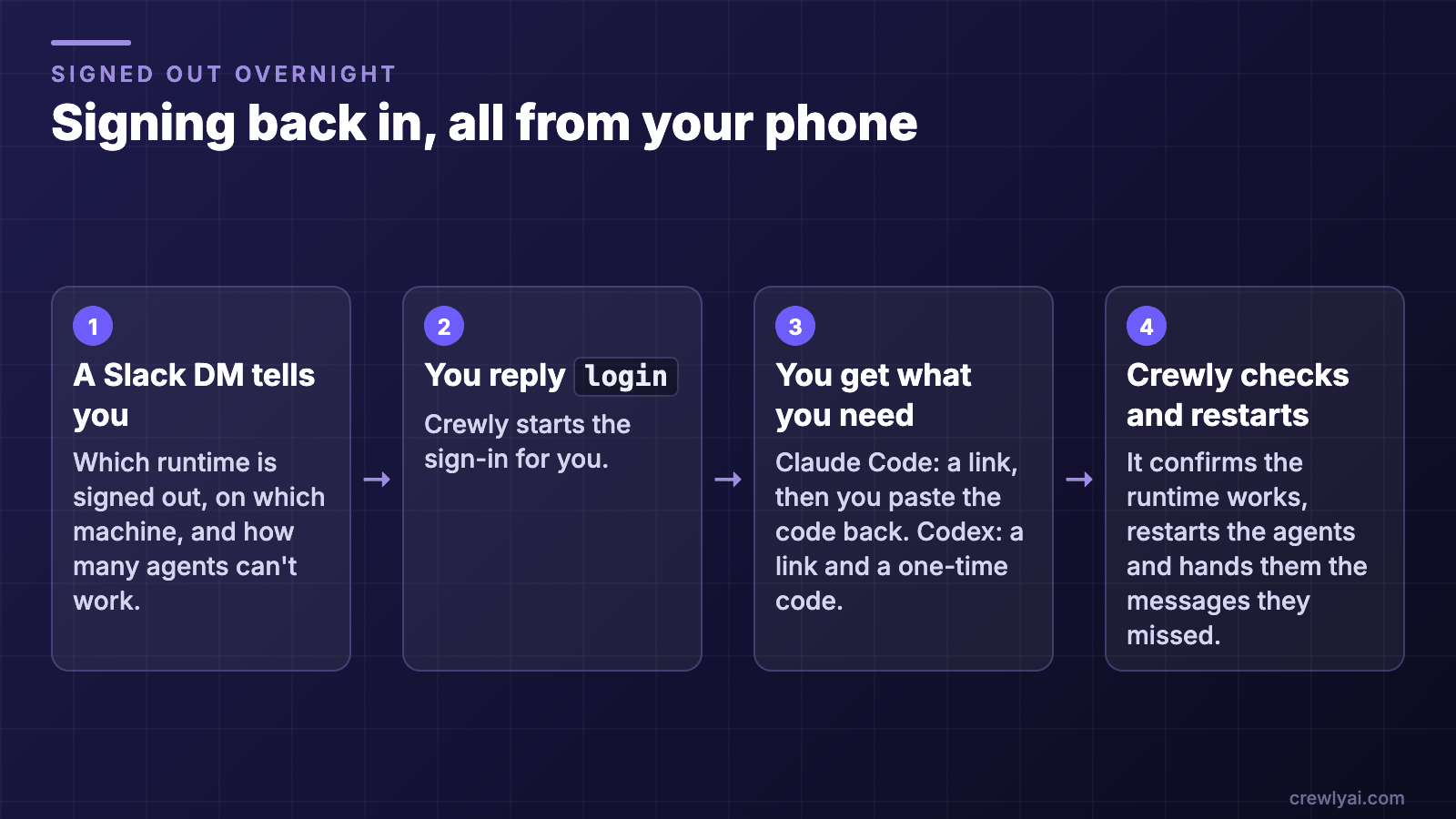 Four steps for signing back in from your phone: a Slack DM names the signed-out runtime, you reply login, you get a link and a code, and Crewly checks and restarts the agents.
Signing back in from your phone (diagram).
Four steps for signing back in from your phone: a Slack DM names the signed-out runtime, you reply login, you get a link and a code, and Crewly checks and restarts the agents.
Signing back in from your phone (diagram).
An agent's browser is stuck on a page only you can click
You took over an agent's browser to get past a login or a cookie wall. On your phone you could only look at the page.
Now, while you hold the session, you can tap, type, press keys, scroll, go back and enter an address, from your phone or the dashboard. The agent is locked out while you drive. What you type is not logged. The record says "You typed N characters" and leaves out the characters. (1.20.161.) For what the browser can do in the first place, see Claude Code Chrome extension.
A recurring job you forgot about
A nightly report or a Monday check ran from a trigger buried in a list with hundreds of finished one-shots. A schedule with a run cap stopped after its last run and nobody noticed.
The new Schedules page lists your recurring schedules by name and by team, with tabs for reminders and history. When a capped schedule is close to running out, the team lead gets a heads-up to renew it or ask you. It never renews itself. (1.20.172.)
Upgrading when an agent is in the middle of something
You wanted the new version but did not want to cut an agent off mid-turn. That meant a terminal and a guess.
Settings, then System, now has Upgrade and Restart buttons. The Upgrade button shows up for npm global installs. You pick "When idle (recommended)" or "Now". Waiting for idle stops at 30 minutes, and the page keeps its progress while Crewly goes down and comes back. (1.20.175.)
Something is waiting on you and you are on a train
A ticket reaches review, and the person who has to accept it is on a train.
Crewly keeps work as plain markdown tickets inside your project (.crewly/tickets). The tickets waiting for your review now show up in a Waiting on you list in Crewly Cloud. You can accept one or send it back from there. Your machine has to be signed in to Cloud for this. (1.20.153.)
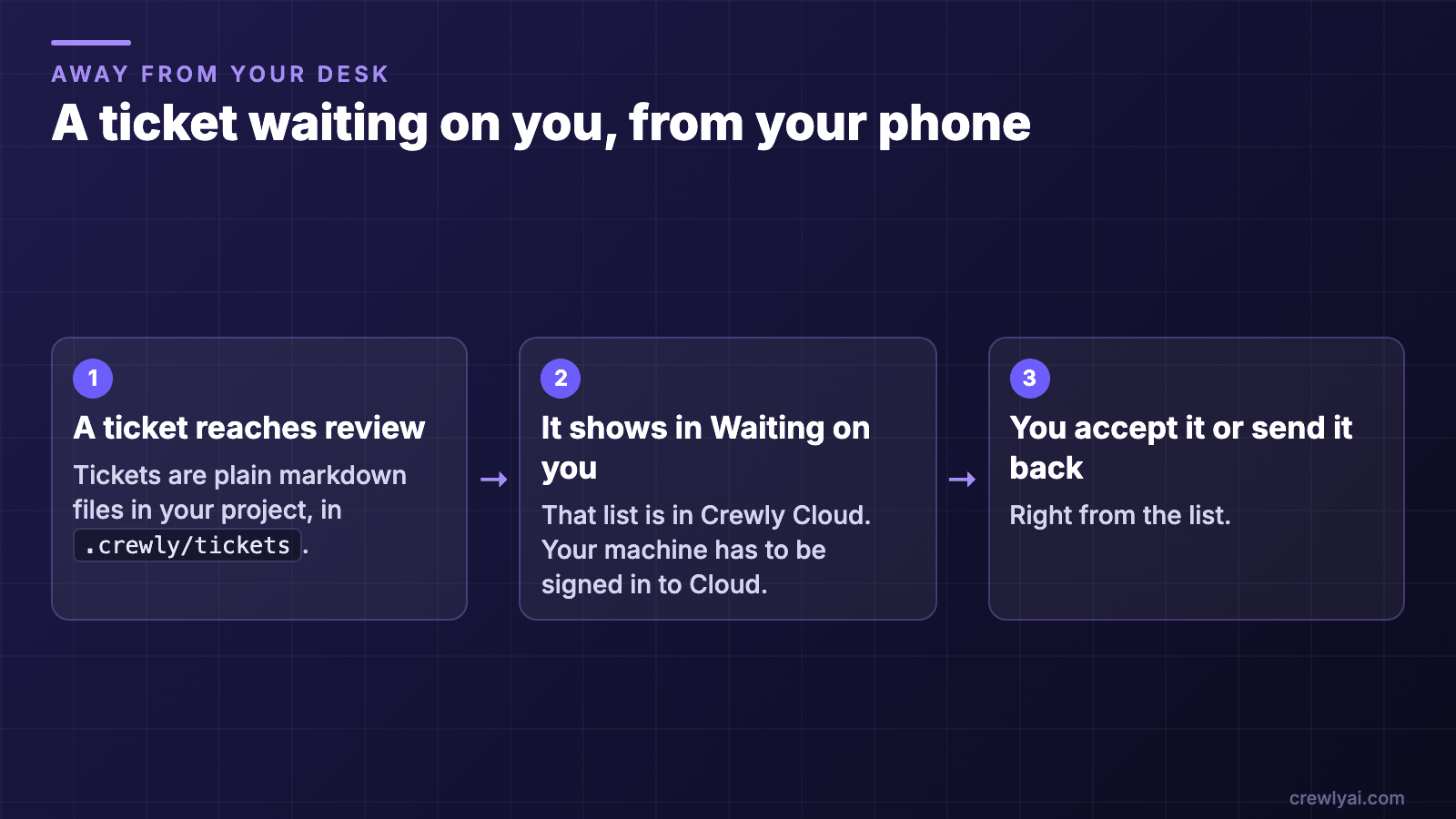 Three steps: a ticket reaches review, it shows in the Waiting on you list in Crewly Cloud, and you accept it or send it back.
From review to your decision, away from your desk (diagram).
Three steps: a ticket reaches review, it shows in the Waiting on you list in Crewly Cloud, and you accept it or send it back.
From review to your decision, away from your desk (diagram).
Starting from a blank team is slow
Deciding roles, skills and norms before the first useful task was the slowest part of getting started.
A solution bundle is a ready-made team you deploy in one step. It comes with roles, the skills they use, working norms, SOPs and first-week tasks, and it asks you a few questions when you deploy. (1.20.134.) If you have not installed Crewly yet, start with Get started with Crewly.
<!-- CHECK: connectors (Google Workspace, Canva, Microsoft To Do, WhatsApp inbox) and `crewly onboard` starter team are in the approved card but their release versions are unverified in 01-shipped-inventory.md, so no section is written. Add once Lyra confirms versions. -->What stays the same
- Same models, same agents. Each item above is something you can open and see.
- The phone features control a machine that is running Crewly. Your phone is the remote.
- Only the Waiting on you list needs Crewly Cloud.