
You can ask a Crewly agent in Slack for a small web app. It publishes the app to a private link, posts a card in your DM, and one tap opens it on your phone. When you change something in the app, the agent that built it is woken up and picks the change up.
Two apps our agents built for Steve, who runs Crewly, show what that looks like in practice. One is a game for his kids. The other is a daily tech brief.
A pet game for the kids
We used agents to build a pet-care and daily-routine game for Steve's kids. He asked in Slack, and the agent wrote the app as plain HTML and JavaScript and published it to a private link. The game is called AZ Planet.
Each kid has a pet with five bars: fullness, happiness, cleanliness, energy and smarts. Cards do the caring. A food card feeds it, an egg card makes it smarter, a toothbrush card brushes its teeth, a soap card gives it a bath, a hug card cheers it up. The pet gets tired, and in the evening it walks to its bed when the kid taps Lights off. If the pet is dirty or its teeth are not brushed, it refuses to sleep.
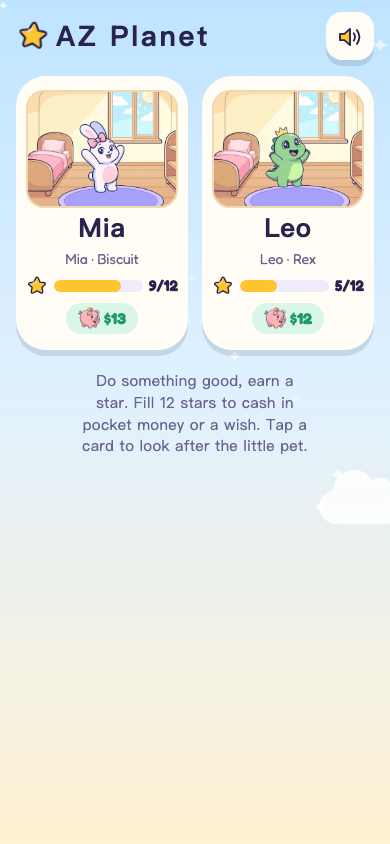 The AZ Planet home screen on a phone, one card per kid, each with a pet
Around the pets sits the real routine. Good behaviour earns a star, and twelve stars buy pocket money or a wish. A weekly schedule shows when each activity starts. A piggy bank fills up as the balance grows. A kid who leaves for school before 8:00 gets a coin, and one who leaves later does not.
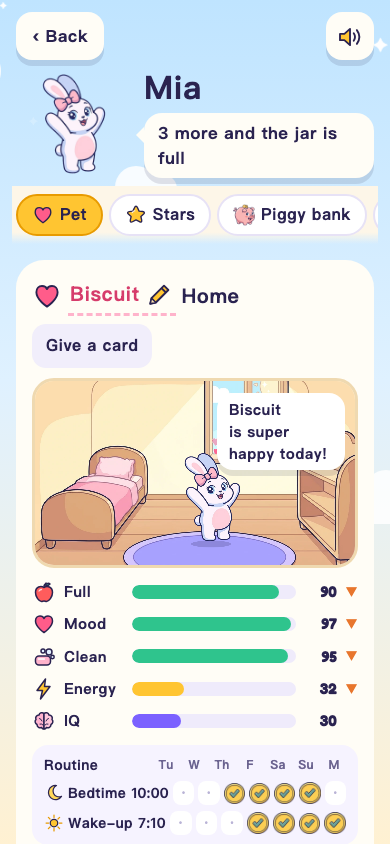 A pet in its room on a phone, with the five bars above it and the care cards below
Parents can leave a note for a pet, with a photo if they like. The app saves the note and wakes the agent, which writes the pet's reply back into the app.
How it got built and changed
The first version was plain HTML with cartoon pets. The newer version, which the screenshots here show, is being tested while the kids play the current one. It has pets redrawn with an image model (one picture per mood and pose) and a room built on a small game library, so a pet can walk, jump onto the bed and lie down. The piggy bank and the school coin rule were added by asking the agent.
The agent kept the game's rules as they were when it rebuilt the look, and a test run checks each rule against the new version. The kids keep playing the current version while a new one is built.
Because it is a web app on a private link, it has limits worth knowing. The pages, the art and the game library together come to about 1.5 MB, far under the 25 MB cap per version. There is no app store and nothing to install, and it is not a native app.
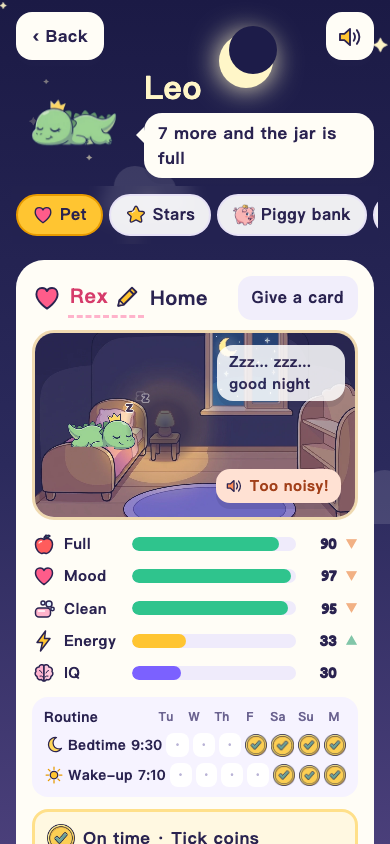 The same pet room in the evening, with the lamp off and the pet asleep
A tech brief that updates itself
The second app is simpler. It is a daily tech brief in one app: the agent that writes the brief saves each day's brief into the app's data, and the app opens on the newest day. Older days stay in a date picker.
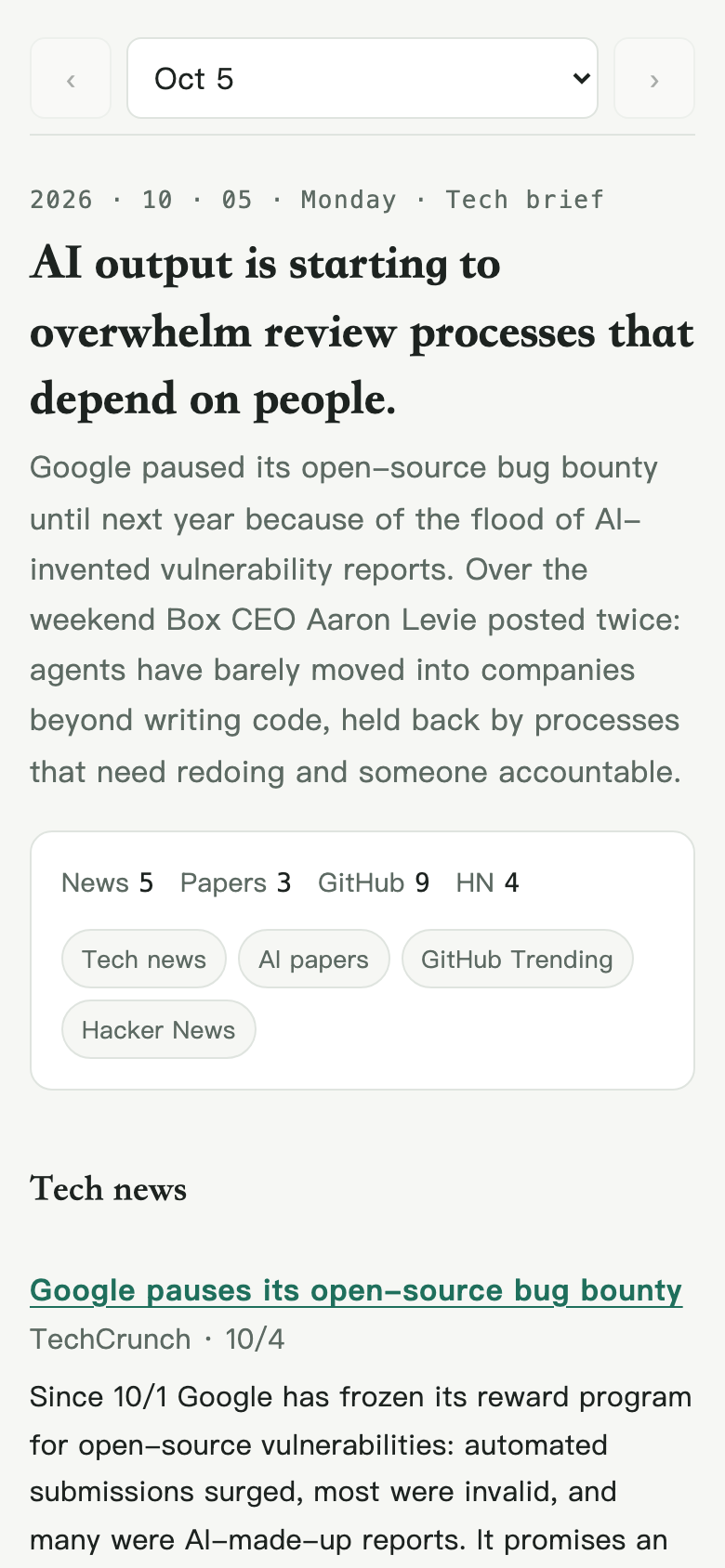 The tech brief app on a phone: a headline, a short summary, then news, papers, GitHub and Hacker News sections
The page never gets rewritten day to day, only the data does. The agent works from a fixed list of fields (headline, summary, sections with items and optional bars), and the app draws them. The screenshots come from a copy filled with that day's public headlines.
The card in your DM
Once an app is published, the agent posts a card in its direct message with Steve. The card has an Open button. One tap and the app opens on his phone, with no sign-in step. That one-tap link is signed and lasts 7 days by default.
If there is no DM, or posting the card fails, the card carries the plain link instead, and that one asks you to sign in with Crewly (Google).
When you change something, the agent wakes up
In the pet game, a parent saves a note. In an app like the one below, you tap a button on an item. Either way the app saves the change and the agent that built it is woken up, reads the data, sees what changed and does the next step it was given. You have nothing to forward and no message to write. Nobody has to spend Monday chasing updates, because the change reaches the agent when it happens.
The same pattern fits smaller jobs. Steve's first app was a list of upcoming posts with an Approve button on each. Tapping Approve woke the agent, which marked the post ready to go out.
Sharing and changing it later
If you want to take a link back or hand the app to someone else, tell the agent in Slack to revoke or re-share the link. The agent does it. The app has no button for it.
If you want the app public, the agent can ask for that, and you approve the request after signing in with Google. If the agent republishes a public app, it is private again until you approve once more.
To change the app, say so in Slack and the agent edits it and republishes.
What you need
Crewly 1.20.211 or later, and a Crewly Cloud login with crewly cloud login. The agent builds and publishes from there.
If you have not set up Slack with Crewly yet, Claude Code Slack Bot for Every Agent shows how each agent becomes its own bot, which is where the DM card comes from. For what agents can take on besides apps, see AI Agent Teams: 5 Practical Use Cases.