
When your Claude Code account runs out of usage at 2 a.m., your agents used to sit there until it reset. Now Crewly can move them to another tool, and move them back once the limit is gone. You need a second tool installed and signed in, such as Codex or Antigravity. Without one, nothing changes.
The 2 a.m. problem
You leave a team working and go to bed. Around two, the Claude Code account hits its five-hour or weekly limit. Every agent on it stops answering. Nothing tells you until you look in the morning, and the limit may not reset for hours.
If you only use one tool
Most people do, and for you this is a small feature. It helps when you really do hit your limit and you have a second runtime you can sign in to. That can be Codex, Antigravity, or the Crewly Agent that runs inside Crewly. (Codex you add to the order yourself, see below.) If you have no second one, Crewly sends you a note that there is no fallback, and the agents wait for the reset like before.
If you want the mixed-team setup itself, see Use Claude Code and Codex together. This post covers only the new part, the automatic switch.
What happens when a limit hits
Crewly reads the agent's terminal for a real usage-limit message. If the message says when the limit resets, Crewly keeps that time. A login that expired is a different problem and goes to the sign-in flow. For Claude Code, Crewly then runs one quick check that the account really is out, so an agent that is only reading about limits does not set off a switch.
Then the agent waits for its next safe point, at most 3 minutes. It saves a handover file with the ticket it was on and a note. When it is leaving Claude Code, the handover also has the end of its old conversation. It stops, and Crewly starts the same member again on the next runtime in your order. The member's own configured runtime does not change.
The limit belongs to the account on that machine, so the other agents on that runtime switch the next time a message arrives for them. The orchestrator follows too, unless you turn that off.
You get one DM that says which runtime hit its limit, when it resets if that is known, and how many agents moved. You get another DM when the runtime is available again.
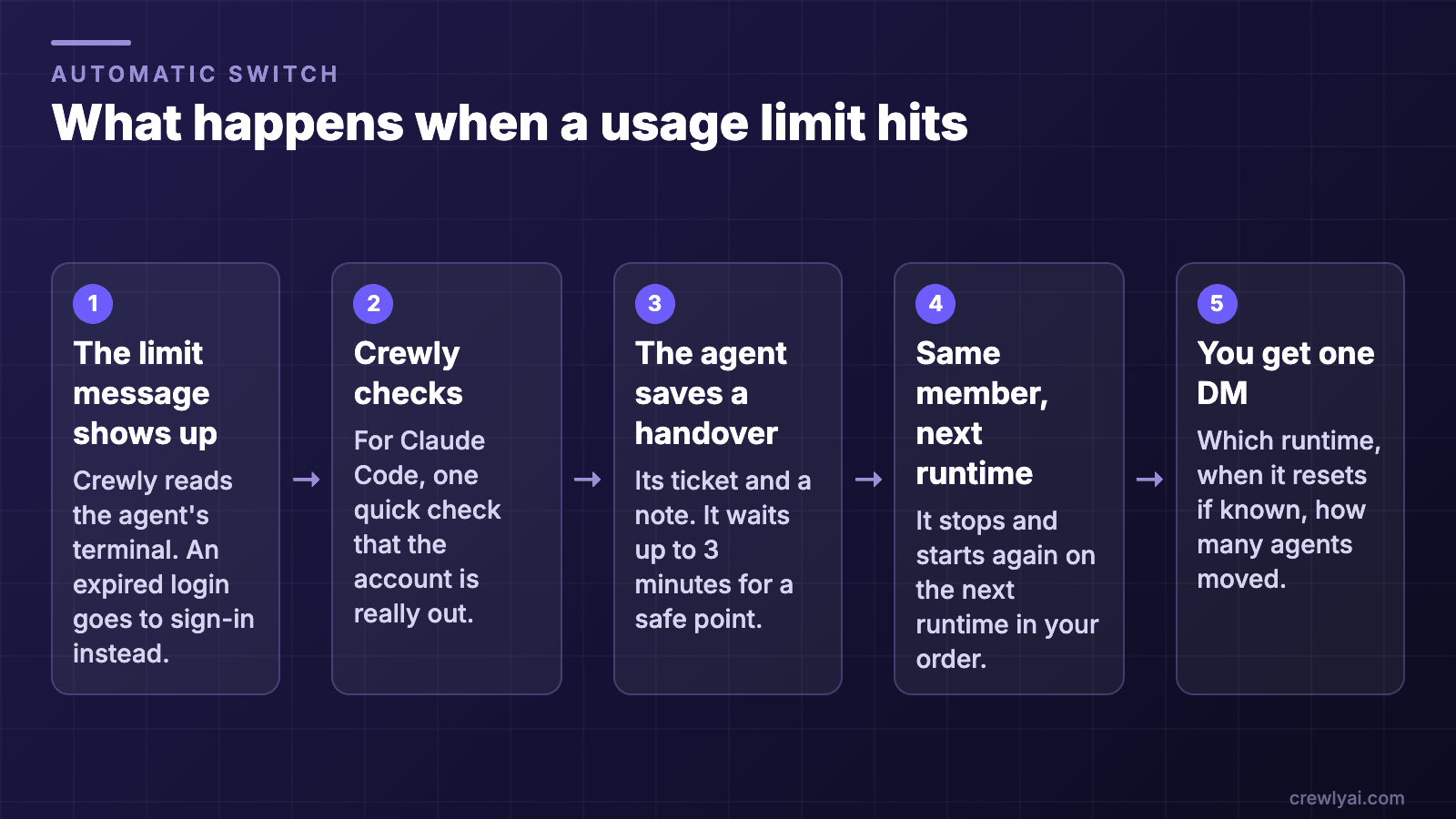 Five steps when a usage limit hits: Crewly sees the limit message, checks it, the agent saves a handover, the same member restarts on the next runtime, and you get one DM.
What happens when a usage limit hits (diagram).
Five steps when a usage limit hits: Crewly sees the limit message, checks it, the agent saves a handover, the same member restarts on the next runtime, and you get one DM.
What happens when a usage limit hits (diagram).
Switching back
Some runtimes have a check, and an agent goes back only after the check passes. For Claude Code and Crewly Agent the check is one real request. Crewly runs it at the reset time the limit message gave, or every 15 minutes. If the check fails or cannot tell, the agent stays on the fallback.
Codex and Antigravity have no check. They go back at the reset time the limit message gave. If the message gave no time, they stay where they are until you switch them back yourself. Agents only switch back when they are idle, and the original conversation is restored.
If the limit returns within 30 minutes of a switch-back, the next check waits twice as long (up to 24 hours) and you do not get the limit notice again.
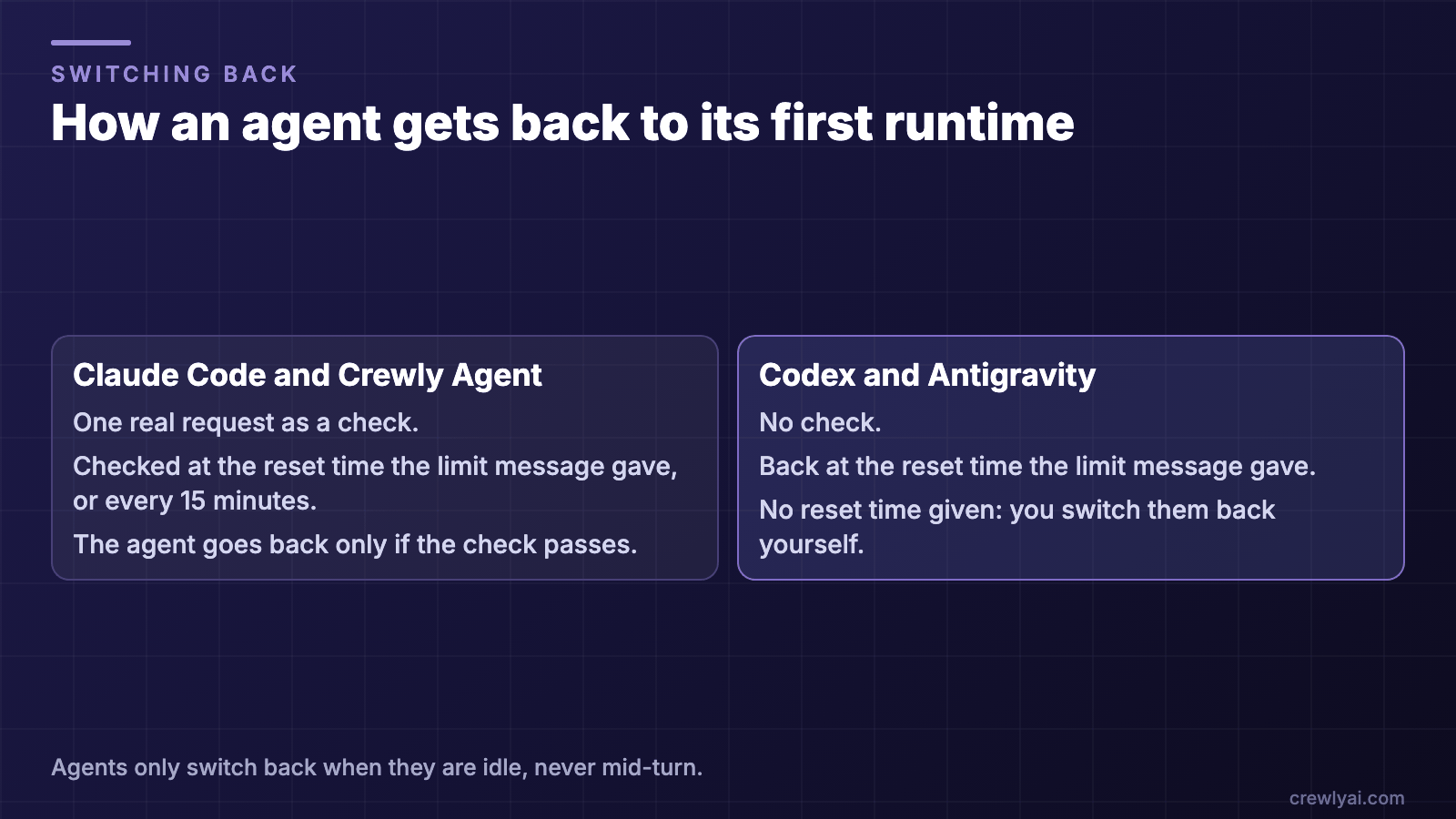 Two columns. Claude Code and Crewly Agent switch back after one real request passes. Codex and Antigravity have no check and switch back at the reset time, or when you do it yourself.
How an agent gets back to its first runtime (diagram).
Two columns. Claude Code and Crewly Agent switch back after one real request passes. Codex and Antigravity have no check and switch back at the reset time, or when you do it yourself.
How an agent gets back to its first runtime (diagram).
Where you set it
Settings, then Runtimes. The default order is Claude Code, then Crewly Agent, then Antigravity. In that list Crewly Agent shows under the name of the model it runs, so with a DeepSeek model you will see "DeepSeek". Codex is not in the default order. If you want Codex as a fallback, add it yourself, for everyone or for one agent.
You can only pick runtimes that are installed and signed in. The others show why they are greyed out. A Test button runs an end-to-end smoke test on one runtime and gives up after 5 minutes.
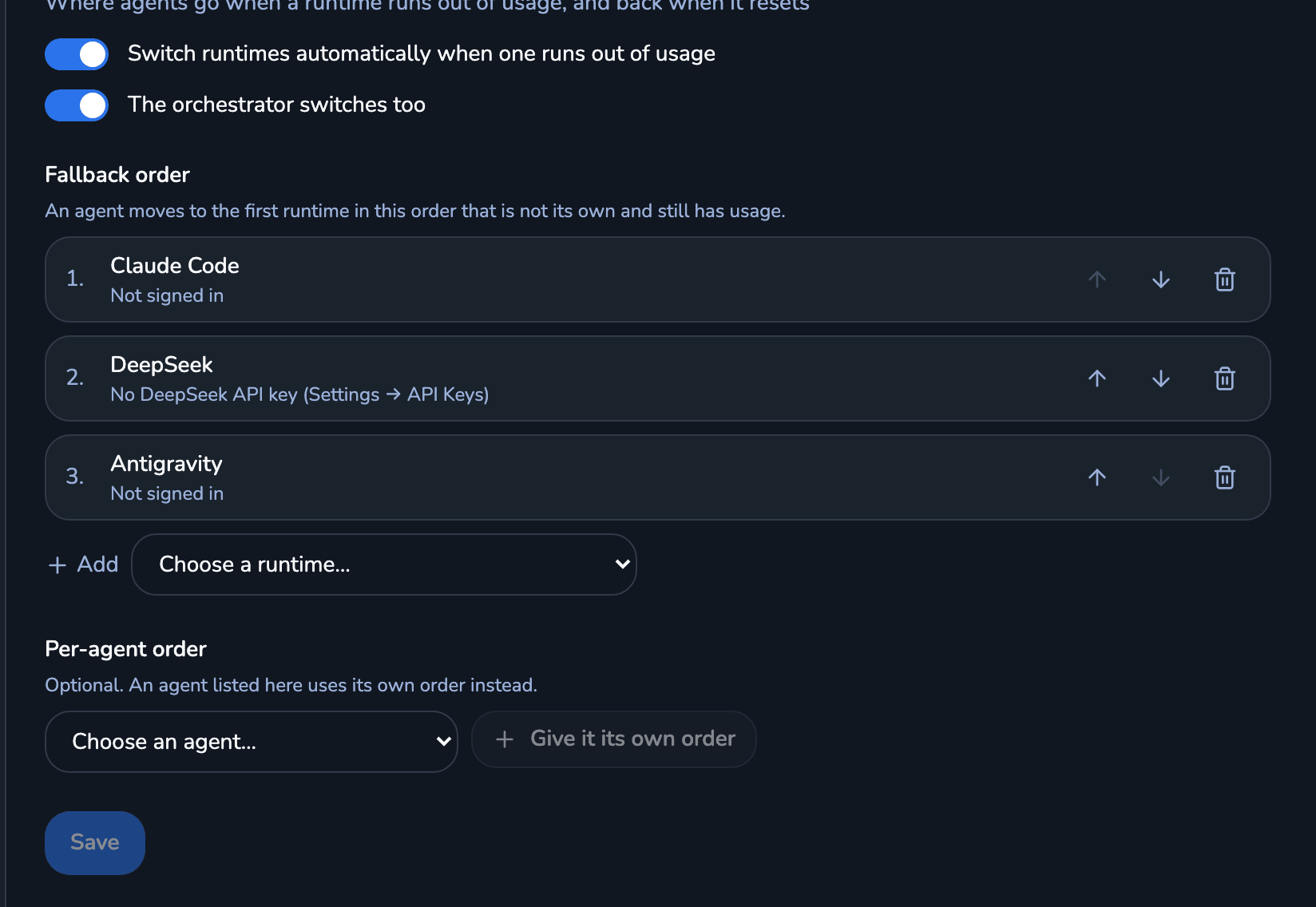 The Runtimes page in Settings: two switches for automatic switching, and a numbered fallback order with Claude Code, DeepSeek and Antigravity.
The fallback order in Settings, Runtimes. This is a demo machine, so nothing is signed in.
The Runtimes page in Settings: two switches for automatic switching, and a numbered fallback order with Claude Code, DeepSeek and Antigravity.
The fallback order in Settings, Runtimes. This is a demo machine, so nothing is signed in.
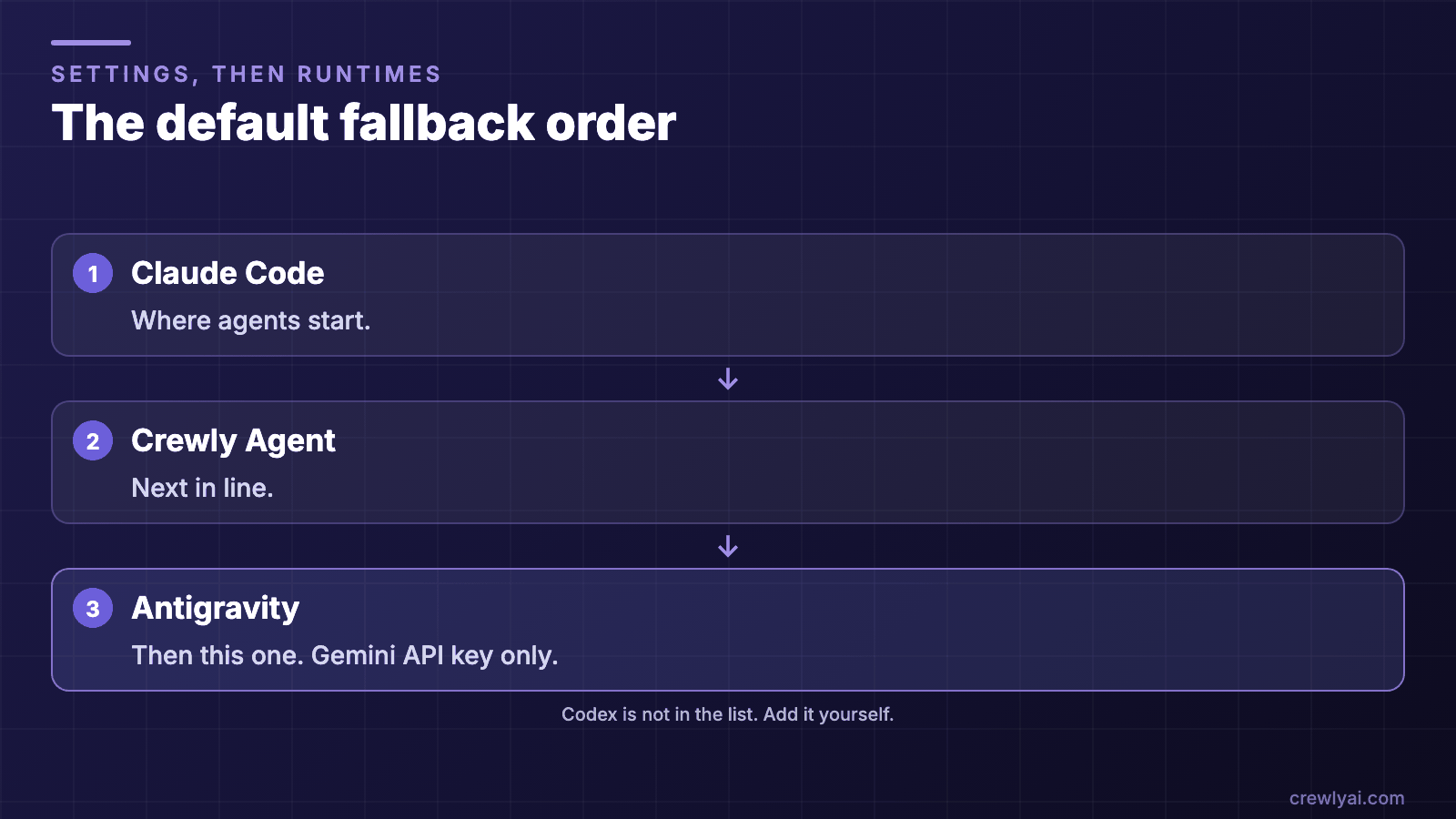 The default order, top to bottom: Claude Code, Crewly Agent, Antigravity. Codex is not in the list and you add it yourself.
The default fallback order (diagram).
The default order, top to bottom: Claude Code, Crewly Agent, Antigravity. Codex is not in the list and you add it yourself.
The default fallback order (diagram).
About Antigravity
Antigravity is Google's CLI. Crewly runs it on a Gemini API key only, and Google sign-in is not supported. Before first use, you have to finish Antigravity's own first-run setup, including Google's terms. Crewly asks you (as a Slack card, or in Settings since 1.20.182) and never accepts for you. Until setup is done, the agent will not start. Gemini CLI is retired for new users.
What it will not do
- It does not make the second tool free. Each runtime uses its own account and its own limits.
- The new runtime does not get the full conversation. It starts from the handover note.
- The agent switches at its next safe point, so not at the instant the limit appears.
- An Antigravity agent cannot yet resume its conversation after a restart. This is a known gap.
- We have seen the switch in one real run: an account on Crewly Agent (DeepSeek) ran out of credit and the agent moved to Claude Code. The Claude Code and Codex limit paths are covered by tests. We have not watched a real Claude Code limit trigger it.
- Use Crewly 1.20.178 or later. Version 1.20.177 could switch back too early.
FAQ
What happens to my agents when Claude Code hits its usage limit?
On their own, they stop until the limit resets. With runtime fallback on, the agent that hit the limit switches to the next runtime in your fallback order at its next safe point, reads a handover file with its current ticket and a note (the end of its old conversation too, when it is leaving Claude Code), and carries on.
Do I have to use more than one tool?
To switch, yes: a second runtime has to be installed and signed in. If none is available, Crewly tells you and the agents wait for the reset.
Does Antigravity work with my Google account?
Crewly runs Antigravity with a Gemini API key only. It does not use the Google account login.
Does it switch back by itself?
Usually. Claude Code and Crewly Agent switch back after a real check passes. Codex and Antigravity have no check and switch back at the reset time the limit message gave; if it gave none, you switch them back yourself. Agents only switch back when idle, never mid-turn.