
To set up an AI agent team, give each agent one role, write the handoff brief that moves work between them, and give the team a place to keep what it learns. This guide walks through those steps with Crewly, the open-source app (MIT) that runs a team of Claude Code or Codex agents on your own machine.
If you are still deciding whether you need a team at all, read AI Agent Teams: 5 Practical Use Cases first. This post starts after you have decided yes.
Step 1: Pick a job that splits by domain
A team helps when the work has parts that can move at the same time. A new feature that touches the API, the screens and the tests is a good first job. A one-file bug fix is not: use one agent.
Write the job in one sentence. If you cannot say which parts run side by side, the job is not ready for a team.
Step 2: Install Crewly and add your project
You need macOS 12+ or Linux, Node.js 22 or later, jq and curl, a normal user account (not root), and Claude Code or Codex installed and logged in. Run the AI CLI once by hand first, or your agents will stop at its first-run screens. Getting started with Crewly has the full list.
To try Crewly, install Node.js 22 or newer first (the installer from nodejs.org, or Homebrew / your package manager), then run:
curl -fsSL https://crewlyai.com/install.sh | bash
Open a new terminal and run:
crewly start
Prefer npm? npm install -g crewly works if your Node comes from Homebrew or the nodejs.org installer.
The dashboard opens at http://localhost:8787. Open Projects, click New Project, enter the full path to your code and click Create Project. Crewly creates a .crewly/ folder there for tasks, specs and project knowledge.
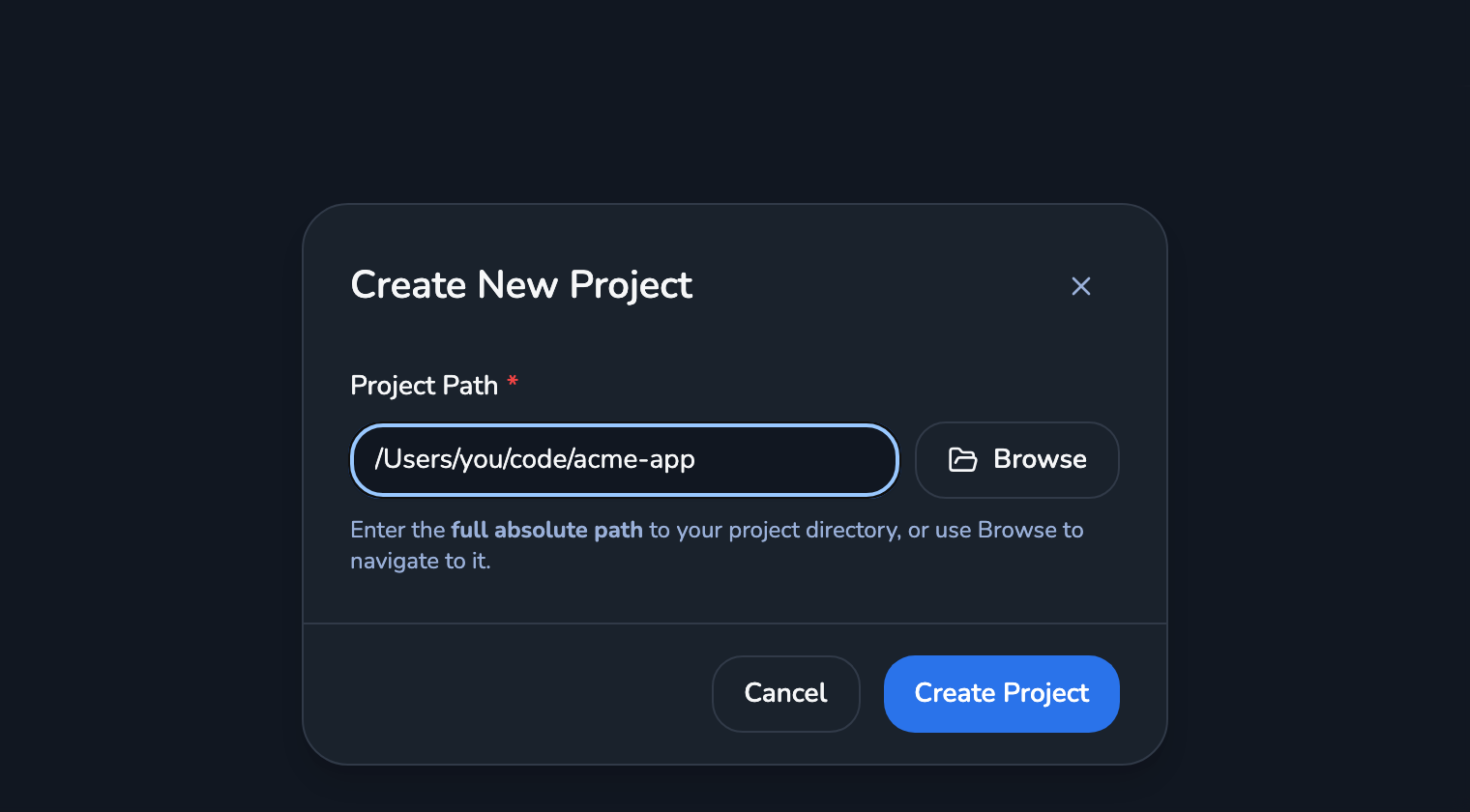 The Create New Project dialog in the Crewly dashboard, with an absolute project path typed in and Browse and Create Project buttons
Step 3: Give each agent one role
A role is a prompt plus the skills an agent can use. Give each agent one domain, so no two agents edit the same files.
Crewly ships with roles such as backend-developer, frontend-developer, qa-engineer, architect and product-manager. You can add your own under Settings → Roles.
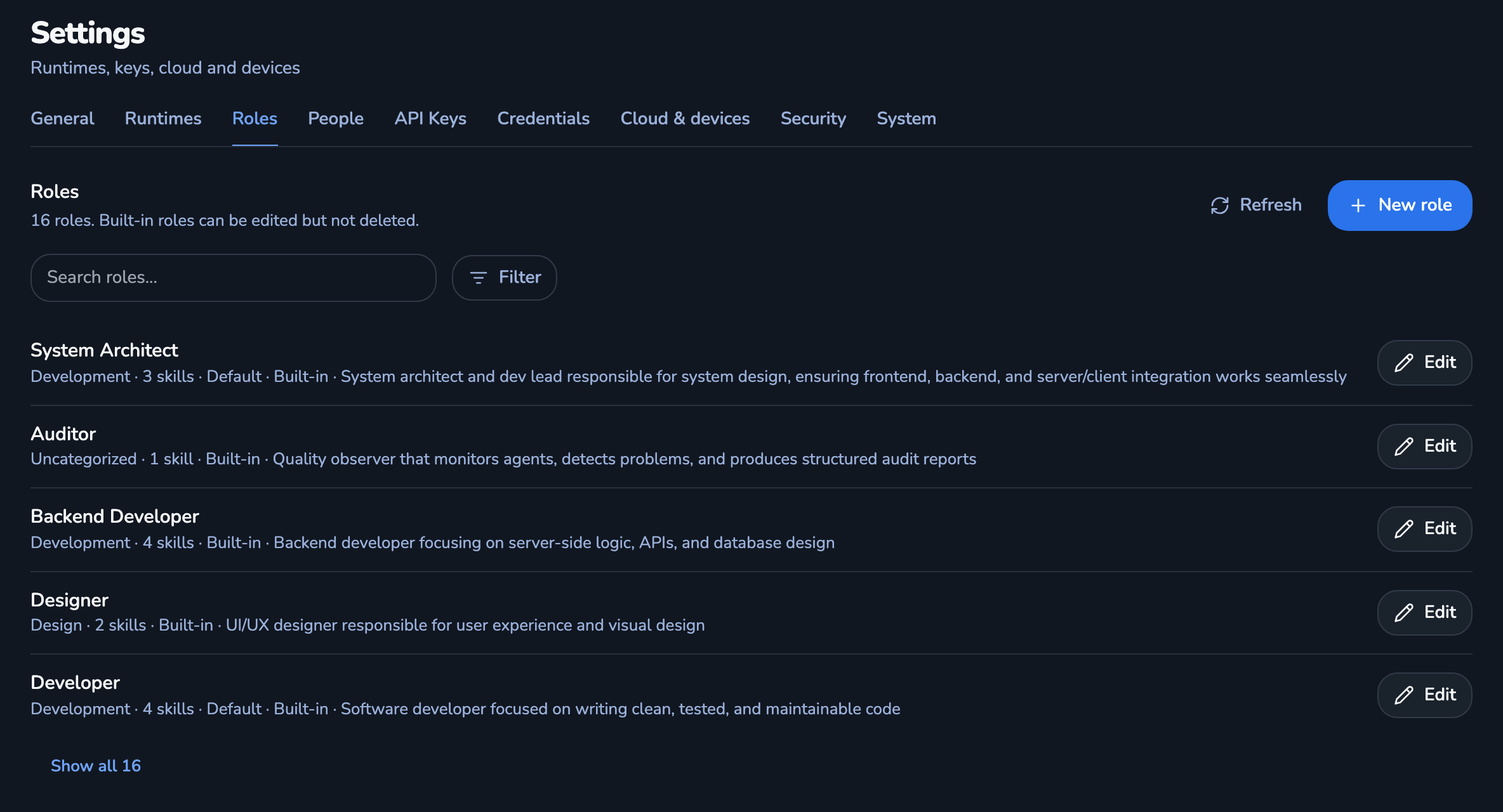 Settings, Roles tab: the list of built-in roles such as System Architect, Backend Developer and Developer, each with an Edit button and a New role button
For the feature job from step 1, start with three:
| Agent Name | Role | Owns |
|---|---|---|
| Backend Dev | backend-developer | API routes and data |
| Frontend Dev | frontend-developer | Screens and state |
| QA | qa-engineer | Tests and review |
Open Teams, click New Team, name it, pick your project under Assigned Project, add the three members with a Runtime Type each (Claude CLI is Claude Code), and click Create Team.
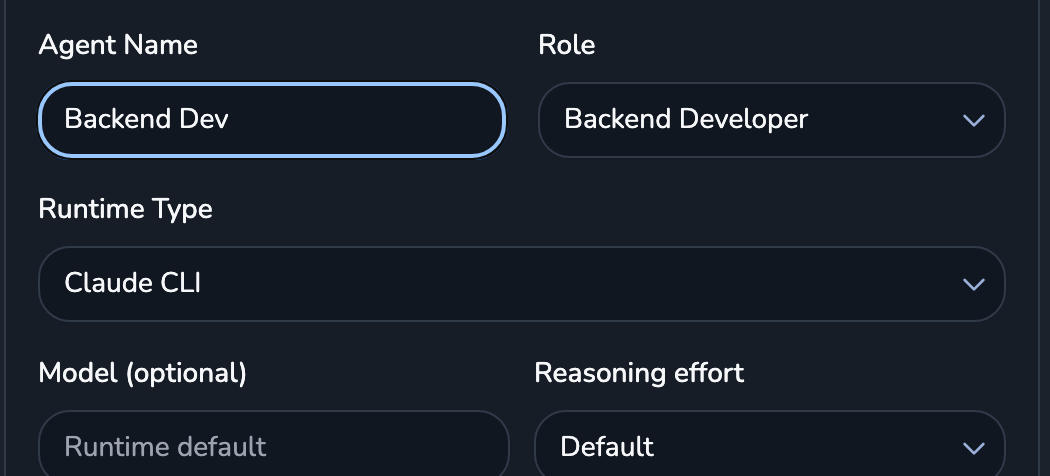 The member part of the Create New Team form: Agent Name Backend Dev, Role Backend Developer, Runtime Type Claude CLI, plus optional model and reasoning effort
Start with two or three agents. A developer plus a QA engineer is a fine first team. Every extra agent is one more handoff to get right.
Then open the team and click Start Team. Each agent's status goes from inactive to starting, started and active. active means it is running and has checked in. Each agent runs as its own terminal session, with permissions open so it can work without you approving every step, so use a project you are comfortable with.
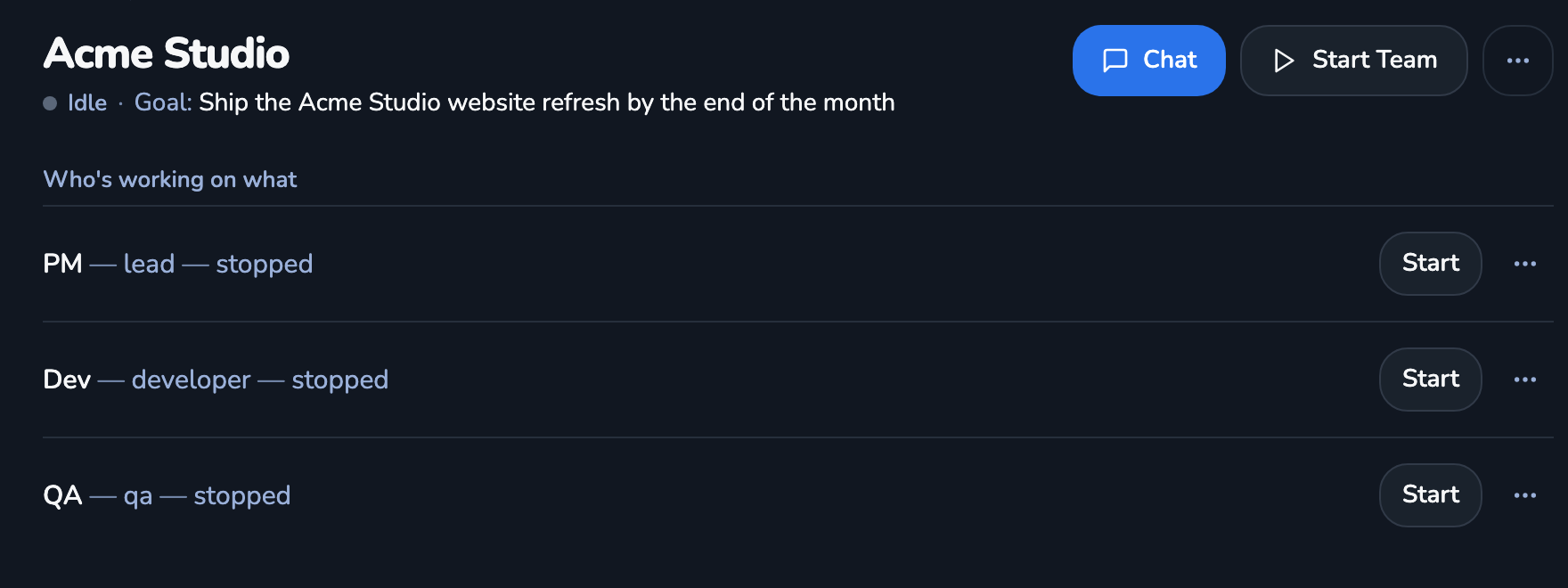 A team page in Crewly showing the team goal, a Chat button and a Start Team button, and one row per member showing its role and status
Step 4: Write the handoff
Work moves between agents through the orchestrator, the agent that splits a job and hands out the pieces. Open Chat and describe the job to it. A good brief has three parts:
Goal: Users can reset their password by email.
Expected outcome: A reset endpoint, a reset screen, and tests for both.
Eval criteria: The tests pass, and QA has tried an expired link and a reused link.
The goal says why. The expected outcome says what exists at the end. The eval criteria say how anyone will check. Crewly's delegate-task skill, which the orchestrator uses to hand out work, warns when a brief has no goal, expected outcome or eval criteria, because a worker cannot check work against criteria it was never given.
Say which agent owns which part, as in the setup walkthrough: "the backend dev handles the routes, the frontend dev builds the screen, QA writes the tests".
Agents report back as they go. The report-status skill tells the orchestrator when a task is done, blocked or failed, and agents can message each other directly. If you use Crewly's Slack integration, one agent can @ another in a thread, where you can read it and step in (Claude Code in Slack).
A handoff goes wrong when the brief is vague. When an agent comes back with the wrong thing, check the brief before you blame the agent.
Step 5: Give the team memory
A restarted agent starts with an empty context window. Memory is how the team keeps what it learned.
Crewly agents have two skills for this. remember saves a note, with a scope of agent (personal to that agent) or project (shared by every agent on the project), and a category: a fact, a pattern, a gotcha or a decision. recall searches the saved notes. When a decision replaces an earlier one, the new note can name the old one with --supersedes, and the old one is marked superseded.
Notes are stored on your machine: agent memory under ~/.crewly/, project memory in the project's .crewly/ folder. Each agent's start-up routine recalls what it saved.
Two habits help:
- Save decisions at the project scope, so the agent working on Thursday sees what was decided on Tuesday.
- Save an agent's own working style at the agent scope.
Crewly's notes do not replace a CLAUDE.md. Claude Code still reads its own in each session. The full picture is in How to give Claude Code memory that survives between sessions.
Step 6: Read the first run
Watch the dashboard while the team works. Each agent shows a live terminal, its status and its tasks. Message an agent, or the orchestrator, to change course.
After the first job, check three things:
- Did two agents touch the same files? Split the roles more cleanly by domain.
- Did an agent ask for something the brief never said? Add it to the brief template.
- Did a decision get made that the next session will need? Check it was saved with
remember.
Fix the role or the brief, then run the next job. A team gets better when you change those two things.
When not to set up a team
- One small task in one domain: a single agent is enough.
- You do not want agents running unattended with open permissions on that machine.
- Windows: Crewly runs on macOS and Linux.
FAQ
How do I set up an AI agent team?
Pick a job that splits into parallel domains, give each agent one role, write a handoff brief with a goal, an expected outcome and eval criteria, and give the team shared memory. In Crewly that means installing it, adding your project, creating a team with one role per agent, and clicking Start Team.
How many agents should my first team have?
Two or three. A developer and a QA engineer is often enough. Add a specialist only when you have a second workstream that can run at the same time.
What should a handoff between agents include?
The goal, the outcome that counts as done, and how it will be checked. Crewly's delegate-task skill warns when a delegated brief is missing a goal, an expected outcome or eval criteria.
How does an AI agent team remember things between sessions?
In Crewly, agents call a remember skill to save a note and a recall skill to search saved notes. A note is either personal to one agent or shared by every agent on the project. Notes are stored on your machine.
Do I need Claude Code to set up an AI agent team with Crewly?
You need one AI CLI installed and logged in, Claude Code or Codex. Each agent in a Crewly team runs as a session of the runtime you pick for it.
Related
- AI Agent Teams: 5 Practical Use Cases: when a team beats one agent, and five jobs to split
- How to run multiple agents in Claude Code: 4 ways: worktrees, subagents, agent teams and Crewly side by side
- Getting started with Crewly: install and first team
Sources
Crewly facts: the Crewly repository (the delegate-task, report-status, remember and recall skills and the role definitions) and the live posts linked above, checked on 9 October 2026.
Crewly is open source under the MIT license. The code is on GitHub.