
Every Claude Code session begins with a fresh context window. Anything you explained yesterday, the test command, the folder you never touch, the way you like commit messages written, is gone unless something carries it over. Claude Code has two built-in ways to do that, and a third question comes up once you run more than one agent. This post covers all three.
The short version
| CLAUDE.md files | Auto memory | |
|---|---|---|
| Who writes it | You | Claude |
| What it holds | Instructions and rules | Learnings and patterns |
| Scope | Project, user or organization | Per repository, shared across worktrees |
| Loaded | Every session | Every session (first 200 lines or 25KB) |
Source: Claude Code's memory documentation, read on 9 October 2026. Both are loaded at the start of every conversation, and Claude treats both as context, not as enforced configuration.
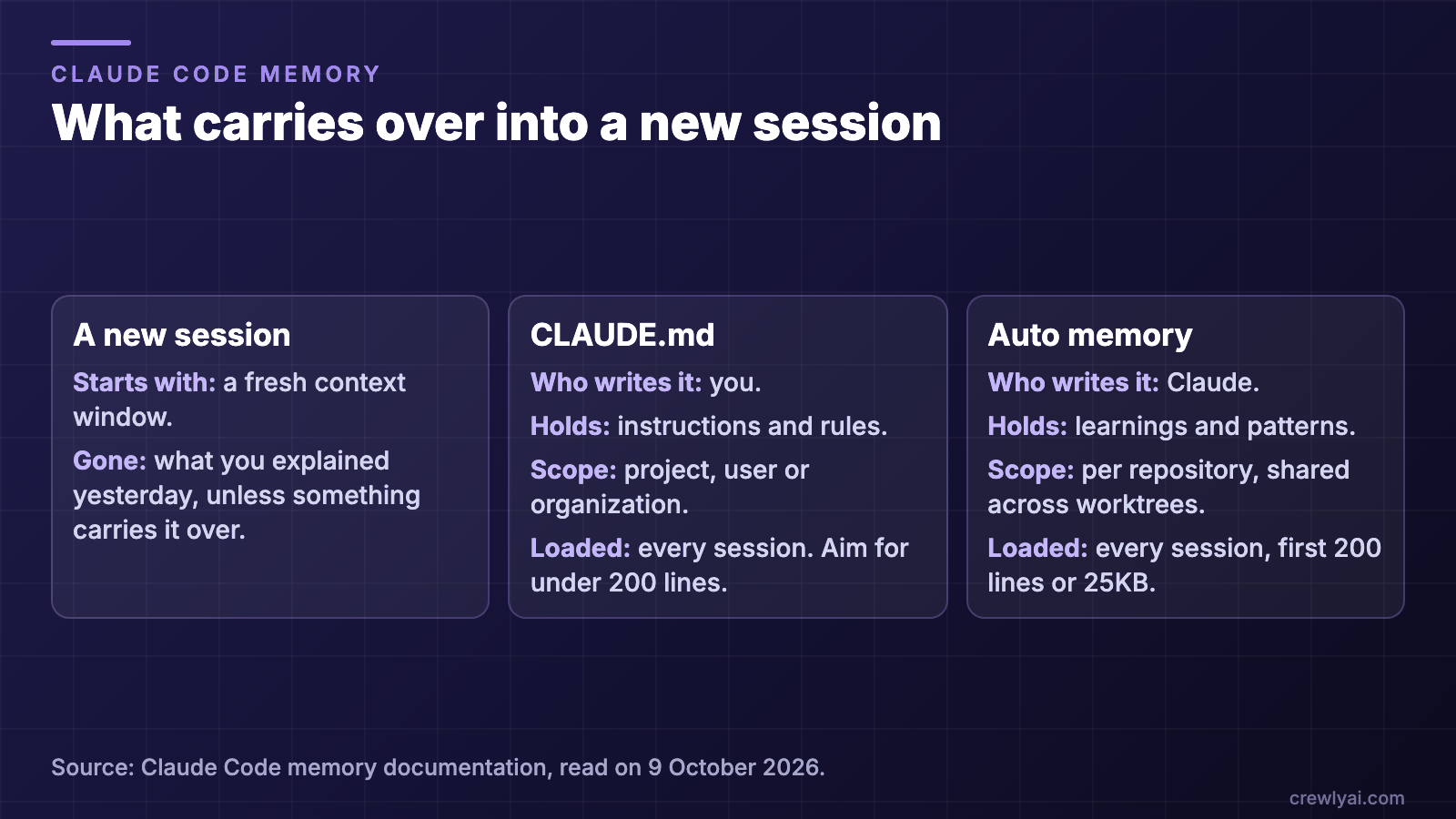 Three columns: a new session starts with a fresh context window; CLAUDE.md is written by you and loaded every session; auto memory is written by Claude and loaded every session, first 200 lines or 25KB
What carries over into a new session (diagram).
1. CLAUDE.md: what you want Claude to always know
CLAUDE.md is a Markdown file of instructions. Put in it what you would otherwise repeat: how to build and test, naming conventions, folders that are off limits.
What the documentation says to watch:
- Keep it short. The target is under 200 lines per file. Longer files use more context and reduce adherence. Move instructions that matter for only part of the codebase into path-scoped rules in
.claude/rules/, which load only when Claude works with matching files. - Imports organize, they do not shrink. A CLAUDE.md can import other files with
@path/to/file, but imported files load at launch too, so they cost the same context. - Be specific. The more specific and concise the instruction, the more consistently Claude follows it.
2. Auto memory: what Claude learns from you
Auto memory is notes Claude writes itself, based on your corrections and preferences. Each project gets a directory at ~/.claude/projects/<project>/memory/, which contains a MEMORY.md index and one file per topic.
- Machine-local. All worktrees and subdirectories of the same git repository share one auto memory directory. The files are not shared across machines or cloud environments.
- The index has a limit. The first 200 lines or 25KB of
MEMORY.md, whichever comes first, load at the start of every conversation. Anything past that is not loaded at session start. Keep one line per entry and move detail into topic files. - It stays. Old session transcripts are cleaned up after a retention period, but the memory files are excluded from that sweep until you or Claude edit or delete them.
- You can read and change it. The files are plain Markdown. Run
/memoryto list your CLAUDE.md and memory files, open the auto memory folder, or toggle auto memory on and off.
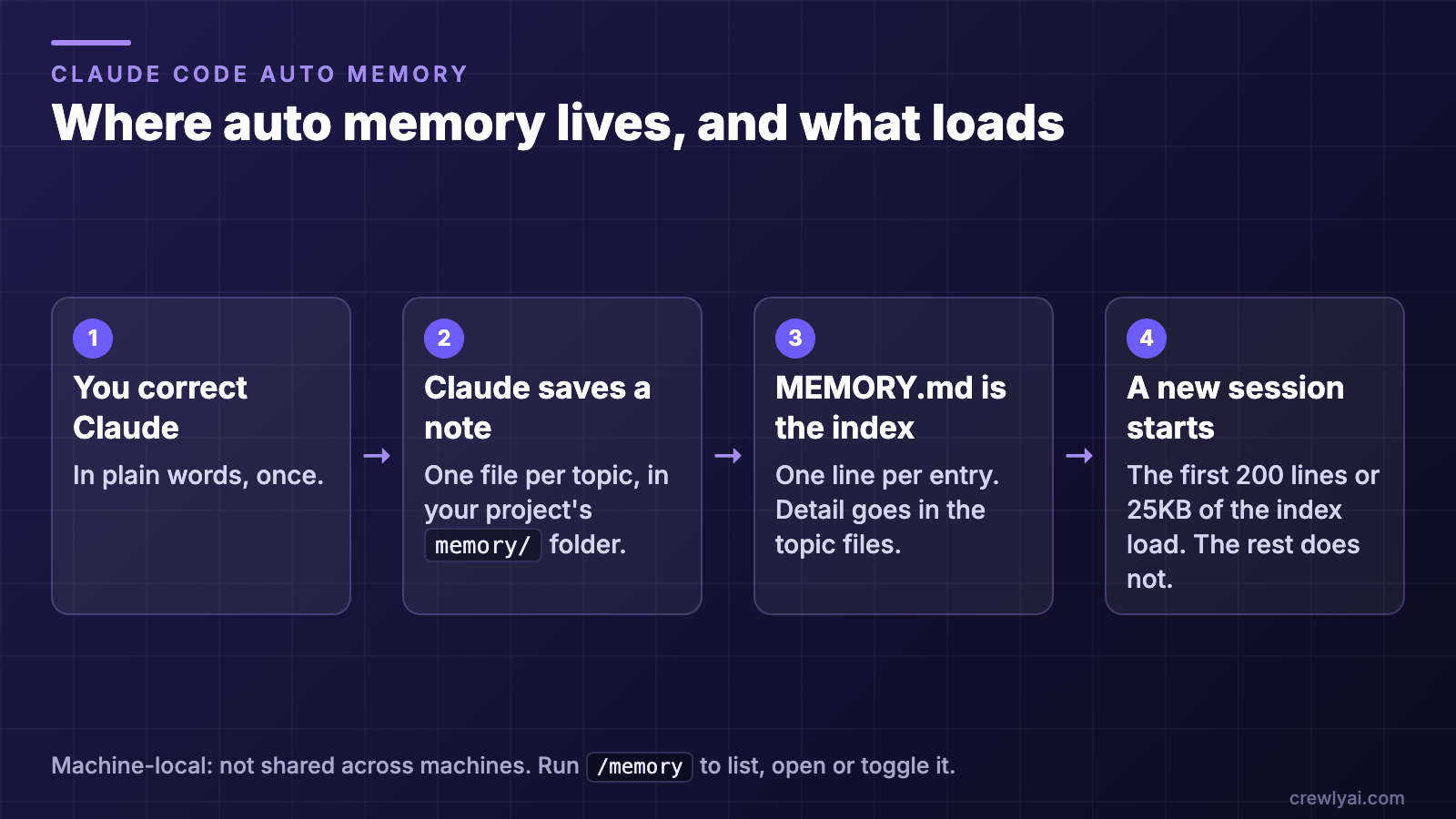 Four steps: you correct Claude; Claude saves a note, one file per topic; MEMORY.md is the index, one line per entry; in a new session the first 200 lines or 25KB of the index load
Where auto memory lives, and what loads (diagram).
A setup to start with
- Write a short CLAUDE.md at the project root with the five things you repeat most: build command, test command, conventions, off-limits folders, how you want work reported.
- Run
/memoryand check which files Claude Code lists. Your CLAUDE.md should be in the list. - Check auto memory is on. The
/memorytoggle shows its state. If it is off, turn it on, unless a project setting turns it off on purpose. - Correct Claude once, in plain words. For example: "In this repo we run tests with the
checkscript, nottest." Then look in the memory folder for the saved note. - Prune after a week. Open
MEMORY.md, delete stale lines, and merge duplicates. A short index keeps loading in full.
Rules to remember
- Instructions go in CLAUDE.md, observations go in auto memory. If you would write it as a rule, write it yourself.
- Neither one is a guard. If something must never happen, do not rely on a memory file. The documentation points to a PreToolUse hook for blocking an action regardless of what Claude decides.
- Nothing here is shared with other people unless you commit it. A project CLAUDE.md can be committed with the repository. Auto memory stays on your machine.
When you run a team of agents
The two mechanisms above assume one person working with one Claude Code session at a time. Once you run several agents, two things change: each agent should keep its own notes, and some knowledge belongs to the whole project.
Crewly, the open-source tool we make, handles this with two skills that agents call:
rememberstores a note. The scope is eitheragent(personal to that agent) orproject(shared by every agent on the project), and the category says what kind of note it is: a fact, a pattern, a gotcha or a decision.recallsearches the saved notes for a question, optionally limited to the project.- Superseding. When a decision replaces an earlier one, the new note can name the old one with
--supersedes, and the old one is marked superseded, so agents stop treating it as the current answer.
Memory is stored on your machine: agent memory under ~/.crewly/, and project memory in the project's own .crewly/ folder. Each agent's start-up routine recalls what it saved, so a restarted agent does not start from zero.
What this does not do: it does not replace CLAUDE.md. Claude Code still reads its own CLAUDE.md in each agent's session. The Crewly notes are for what a team learns while working, such as a decision made on Tuesday that a different agent needs on Thursday.
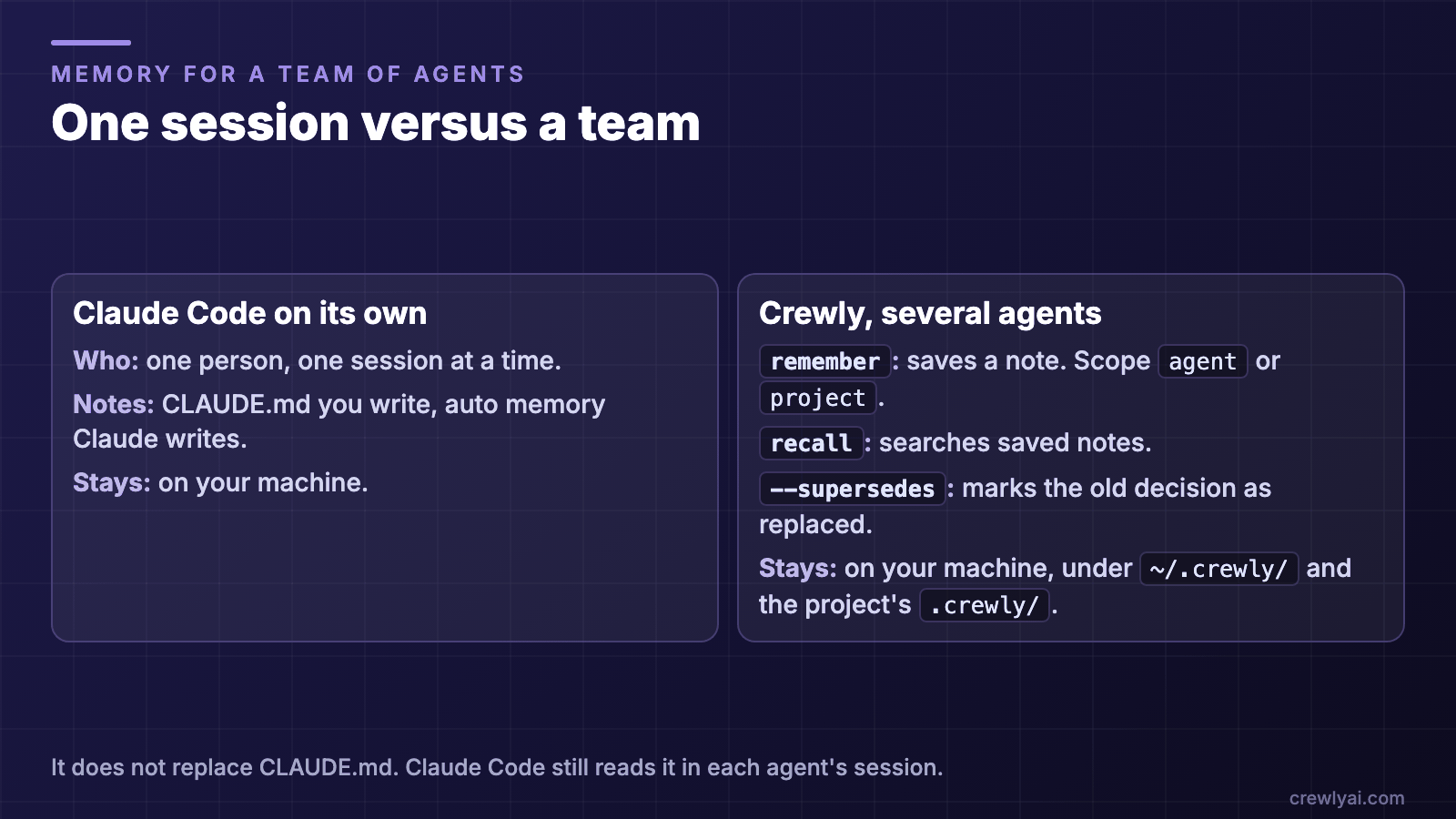 Two columns: Claude Code on its own is one person and one session, with CLAUDE.md and auto memory on your machine; Crewly with several agents has remember, recall and supersedes, stored on your machine
One session versus a team (diagram).
To try Crewly, install Node.js 22 or newer first (the installer from nodejs.org, or Homebrew / your package manager), then run:
curl -fsSL https://crewlyai.com/install.sh | bash
Open a new terminal and run:
crewly start
Prefer npm? npm install -g crewly works if your Node comes from Homebrew or the nodejs.org installer.
For the full team setup, see How to run multiple agents in Claude Code: 4 ways.
FAQ
Does Claude Code remember things between sessions?
Each session starts with a fresh context window, but two mechanisms carry knowledge over: CLAUDE.md files, which hold instructions you write, and auto memory, which holds notes Claude writes itself. Both are loaded at the start of every conversation.
Where does Claude Code store auto memory?
In ~/.claude/projects/<project>/memory/, with a MEMORY.md index and one file per topic. It is machine-local: all worktrees of the same git repository share it, and it is not shared across machines.
How big can MEMORY.md be?
The first 200 lines or 25KB, whichever comes first, are loaded at the start of every conversation. Content beyond that is not loaded at session start, so keep one line per entry and move detail into topic files.
How do I turn auto memory off?
Open /memory in a session and use the auto memory toggle, which saves autoMemoryEnabled to your user settings. To turn it off for one project, set autoMemoryEnabled to false in that project's settings.
Is CLAUDE.md a hard rule?
No. Claude treats CLAUDE.md and auto memory as context, not enforced configuration. To block an action whatever Claude decides, use a PreToolUse hook instead.
Sources
Claude Code facts: How Claude remembers your project, read on 9 October 2026. Crewly memory: the remember and recall skill definitions, the getting-started guide and the agent start-up recovery prompt in the Crewly repository, checked on 9 October 2026.