
"Orchestrate multiple AI agents" can mean two different jobs, and only one of them needs Python. Decide which one you have before you pick a tool.
- Job A: build an agent application. You are designing agents that research, answer tickets or run a custom workflow. You want control over prompts, tools and flow, and you write code for it.
- Job B: run agents that already exist as a team. You use Claude Code or Codex, and you want a backend developer, a frontend developer and a reviewer working at the same time, with something handing out the tasks. You want to describe the work, not program it.
This post is about Job B. If you have Job A, the short answer is in the next section: use a framework.
What the Python route asks of you
CrewAI is the framework people usually meet first. From its documentation (read on 9 October 2026):
- Install:
uv tool install crewai, on Python 3.10 or newer but below 3.14. - Keys: API keys go in a
.envfile at the project root. - Define: the quickstart scaffolds a project with
crewai create flow, then you describe each agent (role, goal, backstory, tools) in a JSONC file, put the agents and their tasks in a crew file, and write the flow inmain.py. - Run:
crewai install, thencrewai run.
That is a good deal if you are building an application. It is more than you want if all you need is three Claude Code sessions working on your repository. For the full comparison, see Crewly vs CrewAI.
What you get without Python
Crewly is an open-source app (MIT) that runs a standing team of coding agents on your machine. Each agent is a real Claude Code, Codex or OpenCode session in its own terminal, with a saved role. An orchestrator agent hands out the work, and you watch and steer from a local dashboard.
The trade-offs, so you can rule it out early:
- It is for coding agents. It orchestrates existing coding CLIs. It does not build general-purpose research or support agents.
- There is an app to install and keep running.
- Agents run with full permissions so they can work unattended, so use an environment you are comfortable with.
- macOS and Linux only.
Before you start
- macOS 12+ or Linux, a normal user account,
jqandcurl. - Claude Code installed and logged in. Run
claudeonce and finish its first-run setup, or your agents will stop at its theme and login screens. - A project folder to work on.
To try Crewly, install Node.js 22 or newer first (the installer from nodejs.org, or Homebrew / your package manager), then run:
curl -fsSL https://crewlyai.com/install.sh | bash
Open a new terminal and run:
crewly start
Prefer npm? npm install -g crewly works if your Node comes from Homebrew or the nodejs.org installer.
The dashboard opens at http://localhost:8787. If something looks wrong, crewly doctor checks your setup.
Step 1: Add your project
- Open Projects and click New Project.
- Enter the absolute path to your project, or use Browse.
- Click Create Project.
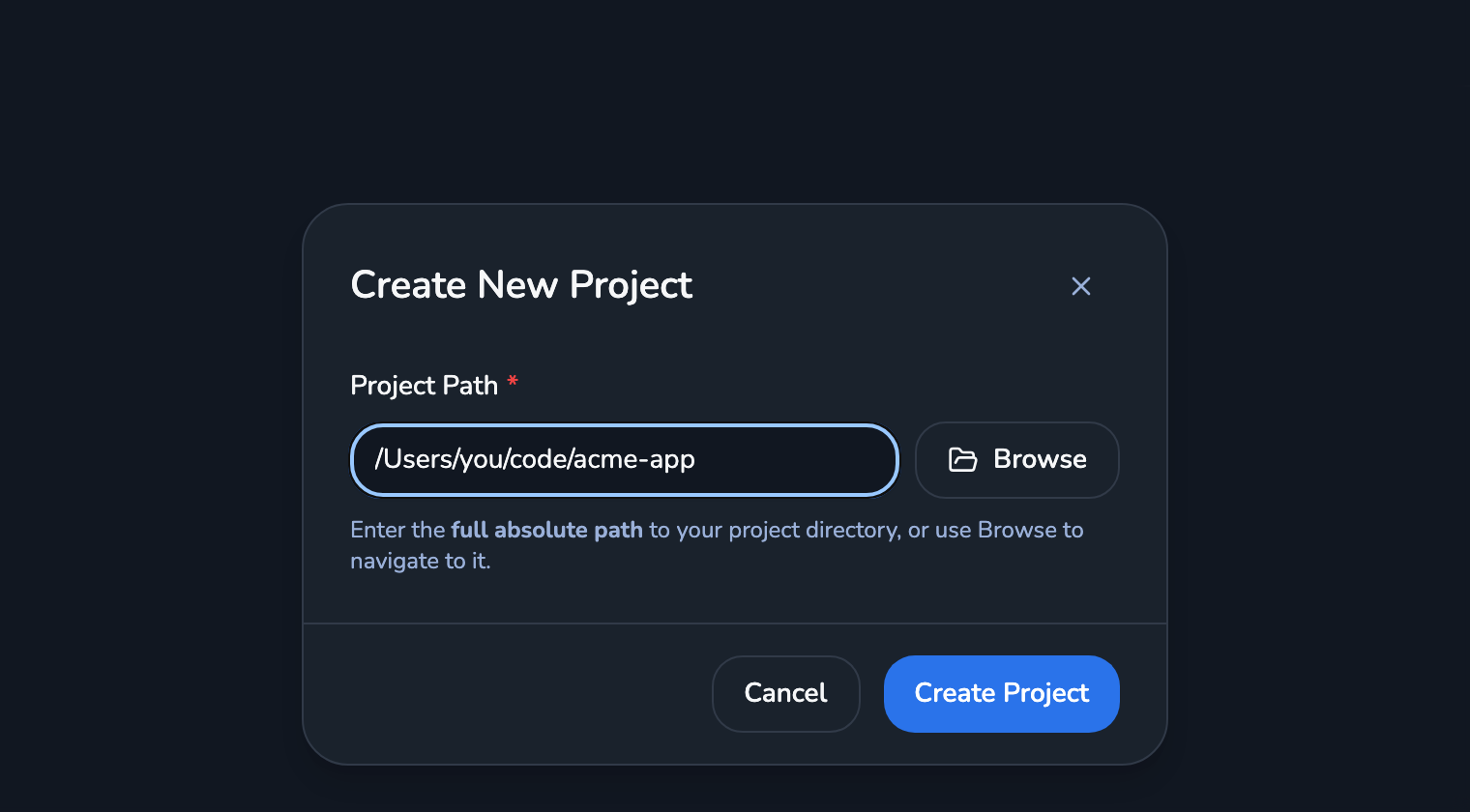 The Create New Project dialog in the Crewly dashboard, with an absolute project path typed in and Browse and Create Project buttons
Step 2: Create the team
- Open Teams, click New Team, name it, and pick the project under Assigned Project.
- Add one member per job, each with an Agent Name, a Role and a Runtime Type:
| Agent Name | Role | Runtime Type |
|---|---|---|
| Backend Dev | backend-developer | Claude CLI |
| Frontend Dev | frontend-developer | Claude CLI |
| QA | qa-engineer | Claude CLI |
- Click Create Team.
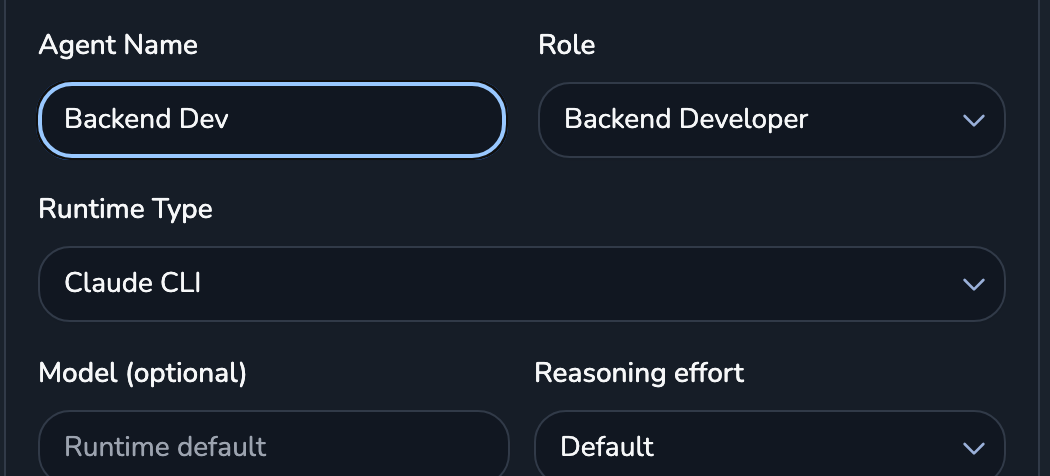 The member part of the Create New Team form: Agent Name Backend Dev, Role Backend Developer, Runtime Type Claude CLI, plus optional model and reasoning effort
"Claude CLI" is Claude Code. The runtime is chosen per agent, so a reviewer can be on Codex CLI in the same team. Each role comes with its own prompt, and you can add your own under Settings → Roles.
Step 3: Start the team
Open the team and click Start Team. Each agent's status moves through inactive, starting, started and active. active means the agent is running and has registered. Wait for all of them before you send work.
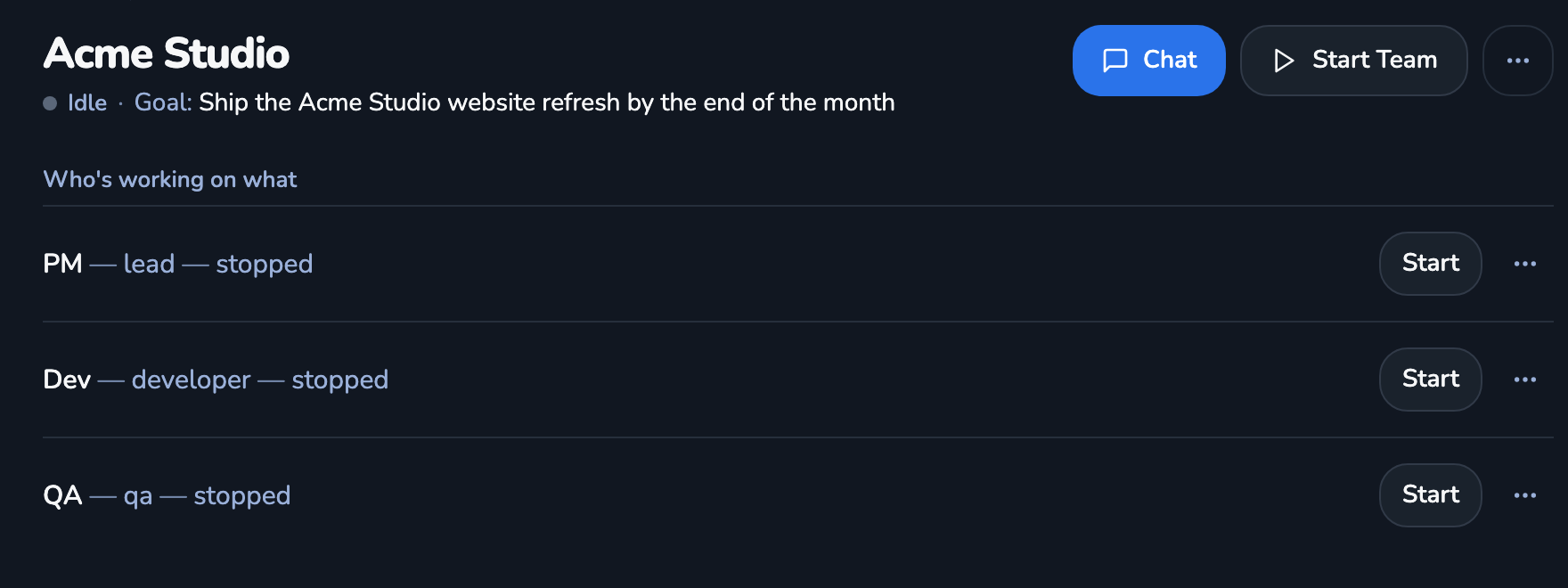 A team page in Crewly showing the team goal, a Chat button and a Start Team button, and one row per member showing its role and status
Step 4: Write a hand-off that splits cleanly
Open Chat and describe the job to the orchestrator. The quality of the split depends on what you put in the message. Four parts do most of the work:
- The goal, in one sentence. "Add user login to the app."
- Who owns which files. "Backend Dev owns
src/api/. Frontend Dev ownssrc/ui/. QA ownstests/." Two agents editing the same file is the usual cause of a bad run. - The order, if there is one. "QA starts once the routes exist."
- What done looks like. "Tests pass and each agent reports what it changed."
For example:
Add user login. Backend Dev: Express routes in src/api/auth. Frontend Dev:
a login page in src/ui/login. QA: integration tests in tests/auth, once the
routes exist. Each of you reports which files you changed when you finish.
The orchestrator splits the work and delegates it. The agents report their status, message each other and save what they learn, so a restarted agent does not start from zero.
Step 5: Watch, then check the result
The dashboard shows each agent's live terminal, whether it is working, and the tasks in progress. Message an agent, or the orchestrator, to change course.
When it finishes, check the work the way you would a colleague's: read the diff, run the tests yourself, and look at what each agent reported. Start with two or three agents and give each its own files. Add more only when the first group works.
When to use which
| You want to... | Use |
|---|---|
| Run two or three parallel Claude Code tasks and steer them yourself | claude --worktree in separate terminals |
| Keep a team of Claude Code, Codex or OpenCode agents running, with roles and a dashboard | Crewly |
| Build a custom agent application, or agents that are not coding agents | A framework such as CrewAI |
FAQ
Can I orchestrate multiple AI agents without writing Python?
Yes, if the agents are coding agents. Crewly runs Claude Code, Codex or OpenCode sessions as a team that you set up in a dashboard: you name the agents, pick a role and a runtime for each, and describe the work in plain language. If you need custom agents for research, support or other non-coding workflows, a framework such as CrewAI, which is configured with Python and JSONC files, is the better fit.
What does CrewAI need to get started?
According to CrewAI's installation page (read 9 October 2026), you install it with uv tool install crewai on Python 3.10 or newer but below 3.14, keep API keys in a .env file, and run crewai install then crewai run from the project root. The quickstart defines agents and tasks in JSONC files and wires them up in Python.
Do I need a framework to run several Claude Code agents?
No. For two or three tasks, claude --worktree in separate terminals is enough. A tool such as Crewly helps when you want the same roles to keep running, with saved memory, a dashboard and an orchestrator that hands out work. See How to run multiple agents in Claude Code: 4 ways.
How many agents should I start with?
Two or three, each owning different files. More agents on the same files mostly produce merge conflicts, not speed.
Sources
Crewly steps and labels: the dashboard flow in How to run multiple agents in Claude Code, checked 24 September 2026. CrewAI facts: introduction, installation and quickstart, read on 9 October 2026.
Crewly is open source under the MIT license. The code is on GitHub.