
Conductor and Crewly both let you run more than one AI coding agent at a time, and people often ask which to use. They start from different ideas. Conductor has changed lately: its home page now reads "Run a team of coding agents in the cloud." This post sets out what Conductor does, Mac app and Conductor Cloud, from its own site and docs as read on 9 October 2026, and where a standing team such as Crewly is the better fit.
The short version
| Conductor | Crewly | |
|---|---|---|
| What it is | A Mac app, plus Conductor Cloud, for running coding agents in parallel | An open-source orchestrator for a standing team of agents |
| Core idea | One isolated workspace and branch per task, shared with teammates in a Cloud organization | Named roles you define once; each agent keeps its own memory |
| Where it runs | Local workspaces on your Mac, or cloud workspaces in a sandbox (Pro plan and above) | On your own machine: a local server and dashboard |
| Who drives | You and your teammates: create a workspace, chat, review the diff, open the PR | A lead agent delegates; you watch from a dashboard or Slack |
| Start work from | The desktop app, mobile, or the Conductor API | The dashboard, the terminal, or Slack; the lead agent splits the work |
| Agents | Claude Code, Codex, Cursor, OpenCode | Claude Code, Codex, Gemini CLI, OpenCode and Antigravity, mixed per agent |
| Isolation | A git worktree and branch per local workspace; an isolated cloud sandbox per cloud workspace | Own terminal session per agent; per-task worktrees are opt-in per project |
| Setup | Install the Mac app; for Cloud, connect GitHub, add an agent credential and set up a Cloud Computer | One-line installer, then crewly start |
| Interface | Desktop app with a diff viewer, plus mobile and an API | Web dashboard, terminal streams, optional Slack |
| Memory across days | Not described in the docs we read | Each agent's role and memory saved under ~/.crewly/ |
| Licence | Not stated on the pages we read | MIT |
| Best at | Several parallel branches that you and your teammates steer and review, locally or in the cloud | A team of agents that keeps going and remembering, beyond code |
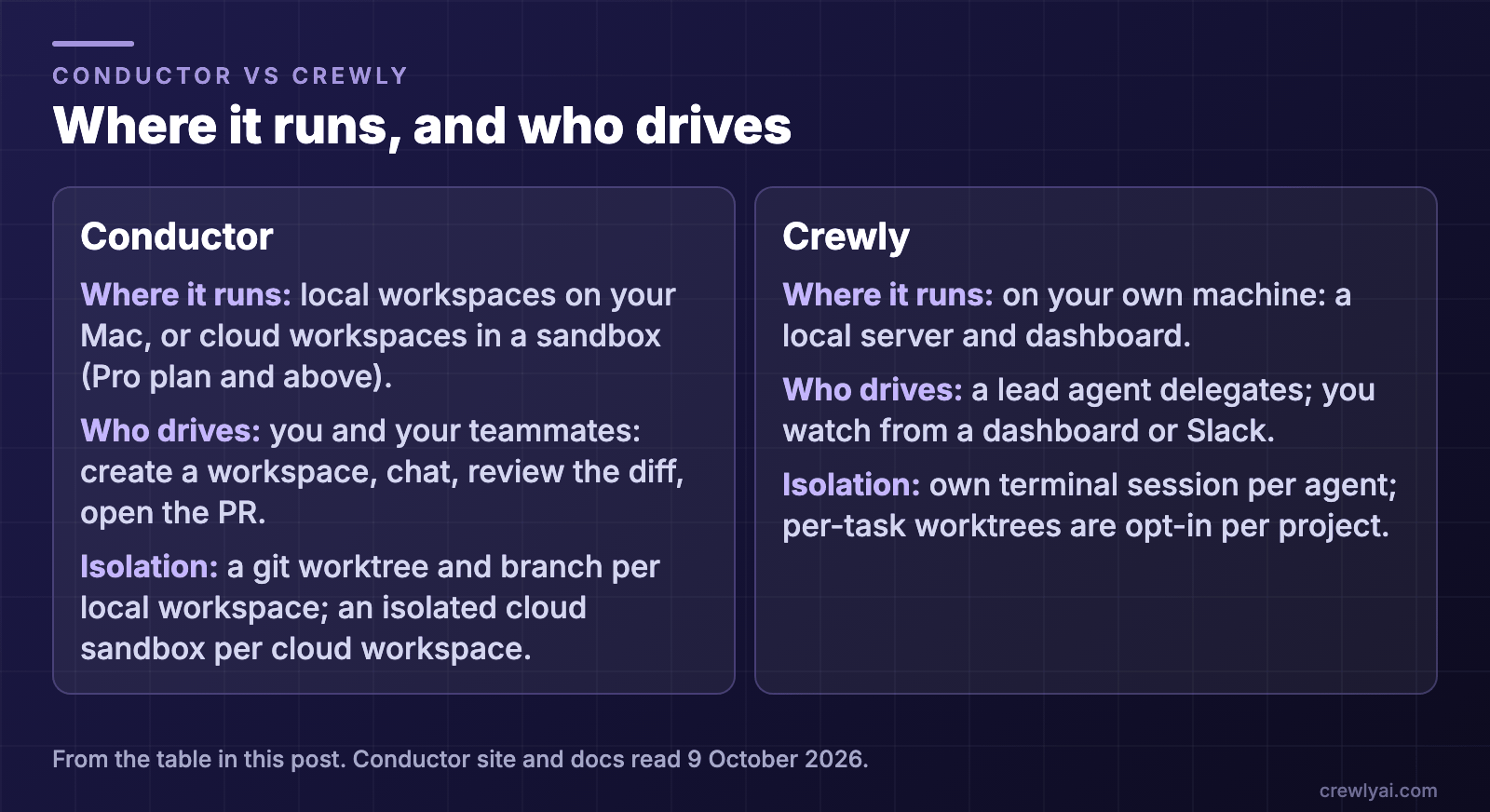 Diagram: where it runs and who drives. Conductor: local workspaces on your Mac or cloud workspaces in a sandbox (Pro plan and above), driven by you and your teammates, with a git worktree and branch per local workspace and an isolated cloud sandbox per cloud workspace. Crewly: runs on your own machine as a local server and dashboard, a lead agent delegates while you watch from a dashboard or Slack, and each agent has its own terminal session with per-task worktrees opt-in per project.
What is Conductor?
Conductor's home page now says "Run a team of coding agents in the cloud." Its docs introduction still opens with the same idea as before: Conductor "lets you run Claude Code, Codex, Cursor, and OpenCode in parallel", each task in its own workspace. There are now two kinds of workspace, and you can use both from the Conductor Mac app.
Local workspaces on your Mac
How they work, from the docs:
- Git worktrees. "Conductor creates a Git worktree for that workspace and checks out a branch inside it." One workspace maps to one branch, and a branch can be checked out in only one workspace at a time.
- Review and merge. When work is ready, Conductor "helps you review the diff, open a pull request, merge, and archive the workspace."
- A fresh checkout. A new worktree starts from tracked files, so gitignored files such as
.env.localare not carried over unless you set them to be copied, and setup scripts handle things like installing dependencies. - Not a security boundary. The docs say "workspace isolation is development isolation, not a security boundary": local agents still run on your Mac with your user permissions.
- They stop with your Mac. The pricing page says "local workspace sessions run on your local machine. When your machine shuts off or you close the app, sessions terminate."
Conductor Cloud
The home page says "Conductor Cloud runs on isolated microVMs with your repos and dependencies pre-installed. Sandboxes spin up in seconds so your agents can run for hours." The Cloud docs add that it "runs every agent in its own isolated cloud sandbox" and that "agents keep working after you close your laptop."
- Cloud workspaces. The docs define a cloud workspace as "an isolated sandbox for one repository and branch, created from the Cloud Computer's active build". The Cloud Computer is "the organization's shared environment: repositories, environment variables, secrets, and installed software."
- Multiplayer. The home page says "Conductor is now multiplayer", and the docs say "Workspaces, chats, and presence are shared across the organization": a teammate can open the same workspace, follow the same chat, and take over a workspace with "Reassign to". This is about people sharing agent work.
- Start from anywhere. The home page says "Conduct from the desktop app, mobile, or your own integrations to the Conductor API." The API docs say you can use it to "create workspaces, send prompts to the coding agent, and read its replies" and to "build bots that kick off agent work". The API is marked as beta.
- Plans. The pricing page lists "Conductor Cloud and a bunch of cloud workspace hours" under Pro, along with Multiplayer, the Conductor API and the mobile app; the Free plan is "local workspaces on your Mac" with "bring your own subscriptions and keys". We do not repeat prices here; check the page.
- Where your data goes. The pricing FAQ says "chat messages sent in cloud workspaces are stored on Conductor's servers", and that cloud workspaces are hosted in Vercel sandboxes in the us-east-1 region. It also says "Conductor runs the first-party Claude Code, Codex, Cursor, and OpenCode agents under the hood."
What Conductor does well
- A real app. Workspaces, chats and diffs live in one window rather than a terminal.
- Isolation is built in. Every task gets its own branch, and in the cloud its own sandbox, so two agents cannot overwrite each other.
- Work that outlives your laptop. Cloud workspaces keep running after you close the app.
- Team visibility. In a Cloud organization, everyone can see, follow and join each other's workspaces.
- Review is the centre. The workspace branch is the unit you review, push and turn into a pull request.
- Agent choice. Four agent programs behind one interface.
What Conductor does not describe
The pages we read describe people creating, sharing and reviewing workspaces, and a way to script that from the API. They do not describe agents with defined roles, a lead agent that hands work to others, or memory that each agent keeps between sessions. We cannot say Conductor lacks these; we only found no description of them. That is not a flaw; it is a different job.
Where Crewly fits
Crewly is built for the case where you want a team of agents, not a set of workspaces, to carry the work. Conductor's multiplayer is about several people working with agents; Crewly's team is about the agents themselves having roles.
- A standing team. You define roles once (an orchestrator, a team lead, developers, a QA, or a content or sales role) and the team and each agent's memory are saved under
~/.crewly/, so they survive a restart. - A lead that delegates. A lead agent splits a request into tasks, hands them out, and checks the result before it is closed.
- Agents build their own memory. They save what they learn with a
rememberskill and read it back withrecall, as plain files on your machine. - A dashboard and Slack. Live terminal streams and a task board in the browser, and an optional Slack bridge so you can follow and nudge the team away from your desk.
- Mixed runtimes. Each agent can use a different CLI.
Three honest limits. Crewly is a heavier tool than opening an app: it runs a local server and a dashboard. It runs on your own machine, so it has no hosted cloud sandbox that keeps running after you shut your computer down. And by default its agents share the project directory, so if you want Conductor's branch-per-task isolation you turn on the per-project worktrees setting.
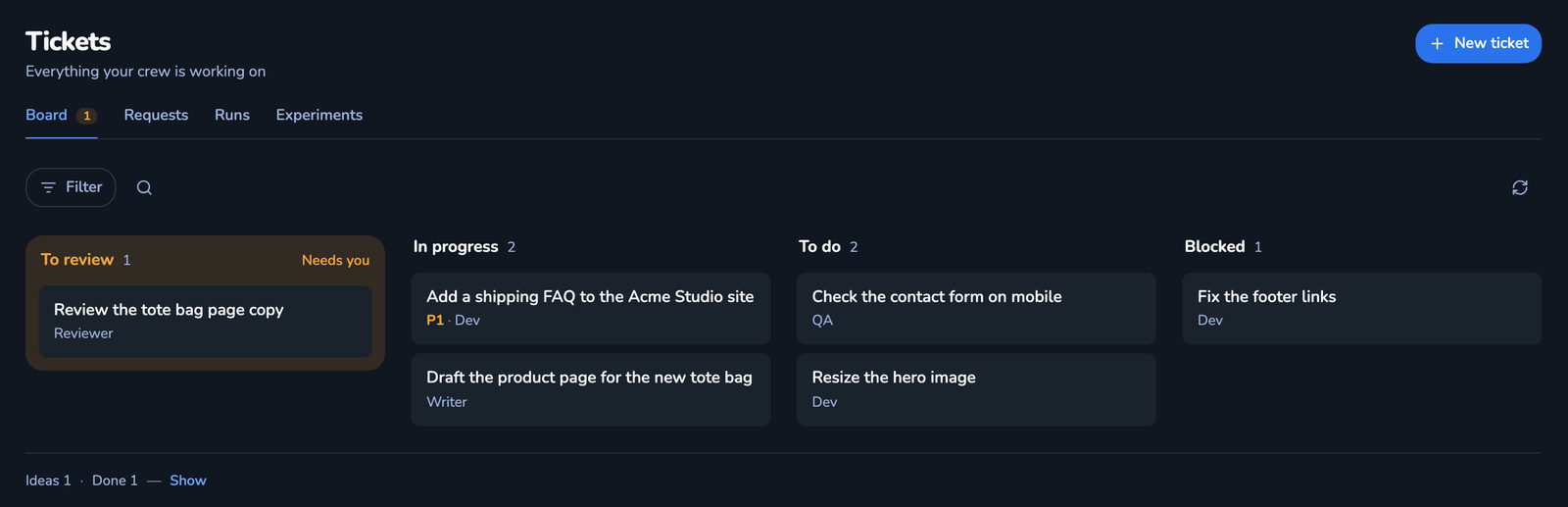 Screenshot of the Tickets board in the Crewly dashboard, with demo data: tickets spread over To review, In progress, To do and Blocked, each with its assignee, such as "Add a shipping FAQ to the Acme Studio site" in progress and "Check the contact form on mobile" to do.
Which should you pick?
- A few parallel tasks that you steer and review yourself, in a Mac app: Conductor's local workspaces.
- Agents that keep running in the cloud while your laptop is closed, or teammates who share and join each other's workspaces: Conductor Cloud.
- A team of agents with named roles that keeps working across days and remembers: Crewly.
- Both: fine. Use Conductor for isolated branches you review, locally or in the cloud, and Crewly for the work you want a team of agents to carry.
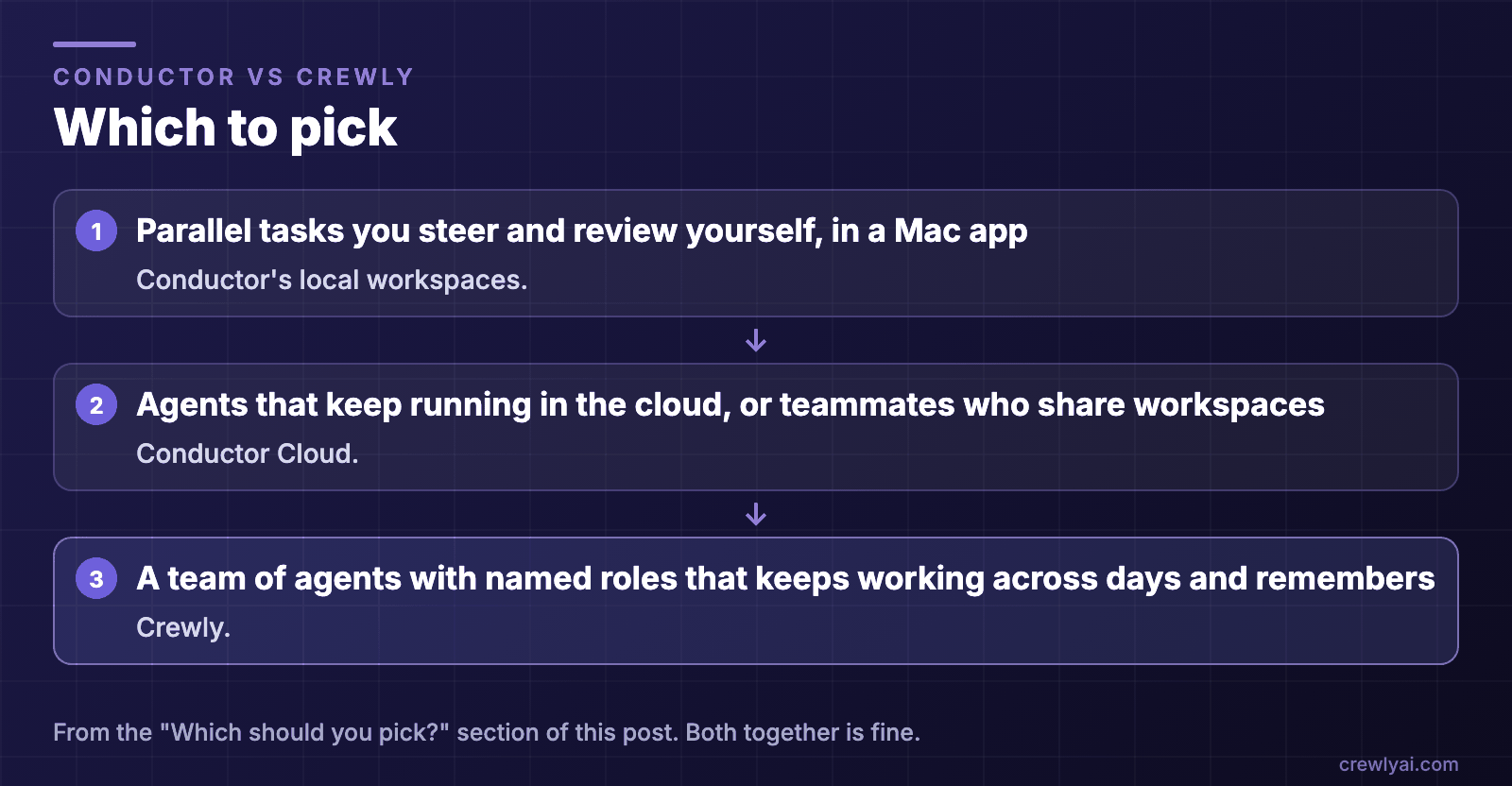 Diagram: which to pick. Parallel tasks you steer and review yourself in a Mac app: Conductor's local workspaces. Agents that keep running in the cloud or teammates who share workspaces: Conductor Cloud. A team of agents with named roles that keeps working across days and remembers: Crewly. Both together is fine.
To try Crewly, install Node.js 22 or newer first (the installer from nodejs.org, or Homebrew / your package manager), then run:
curl -fsSL https://crewlyai.com/install.sh | bash
Open a new terminal and run:
crewly start
Prefer npm? npm install -g crewly works if your Node comes from Homebrew or the nodejs.org installer.
crewly start opens the dashboard at http://localhost:8787. The getting started guide covers your first team, and How to run multiple agents in Claude Code compares worktrees, subagents, agent teams and an orchestrator. If you are weighing a terminal-only option, see Claude Squad vs Crewly.
Sources
All facts about Conductor are from its own pages, read on 9 October 2026: conductor.build, docs, workspaces and branches, git worktrees, What is Conductor Cloud?, Multiplayer, Conductor API, pricing. Crewly: repository, crewlyai.com.