
Conductor 和 Crewly 都能让你同时运行多个 AI 编码 agent,常有人问该用哪个。它们的出发点不同。Conductor 最近有了变化:首页现在写的是 "Run a team of coding agents in the cloud."。本文依据 Conductor 自己的网站和文档(2026 年 10 月 9 日读取)说明它做什么(Mac 应用和 Conductor Cloud),以及常驻团队式的 Crewly 在哪些情况下更合适。
简短结论
| Conductor | Crewly | |
|---|---|---|
| 是什么 | 并行运行编码 agent 的 Mac 应用,加上 Conductor Cloud | 面向常驻 agent 团队的开源编排工具 |
| 核心思路 | 每个任务一个隔离的工作区和分支,在 Cloud 组织里可与队友共享 | 一次性定义的命名角色;每个 agent 保留自己的记忆 |
| 在哪里运行 | 你 Mac 上的本地工作区,或云端沙箱里的云端工作区(Pro 及以上方案) | 在你自己的机器上:本地服务器和仪表盘 |
| 谁来推动 | 你和你的队友:创建工作区、对话、审查 diff、开 PR | 负责人 agent 分派;你在仪表盘或 Slack 里跟进 |
| 从哪里开始任务 | 桌面应用、手机,或 Conductor API | 仪表盘、终端或 Slack;由负责人 agent 拆分工作 |
| Agent | Claude Code、Codex、Cursor、OpenCode | Claude Code、Codex、Gemini CLI、OpenCode 和 Antigravity,可按 agent 混用 |
| 隔离方式 | 每个本地工作区一个 git worktree 和分支;每个云端工作区一个隔离的云端沙箱 | 每个 agent 一个独立终端会话;按任务的 worktree 是项目级可选设置 |
| 安装 | 安装 Mac 应用;使用 Cloud 还需连接 GitHub、添加 agent 凭据并设置 Cloud Computer | 一行安装命令,然后 crewly start |
| 界面 | 带 diff 查看器的桌面应用,另有手机端和 API | 网页仪表盘、终端画面、可选 Slack |
| 跨天记忆 | 我们读到的文档未提及 | 每个 agent 的角色和记忆保存在 ~/.crewly/ |
| 许可 | 我们读到的页面未说明 | MIT |
| 擅长 | 你和队友在本地或云端掌控和审查的几个并行分支 | 持续运转、会记忆、不限于代码的 agent 团队 |
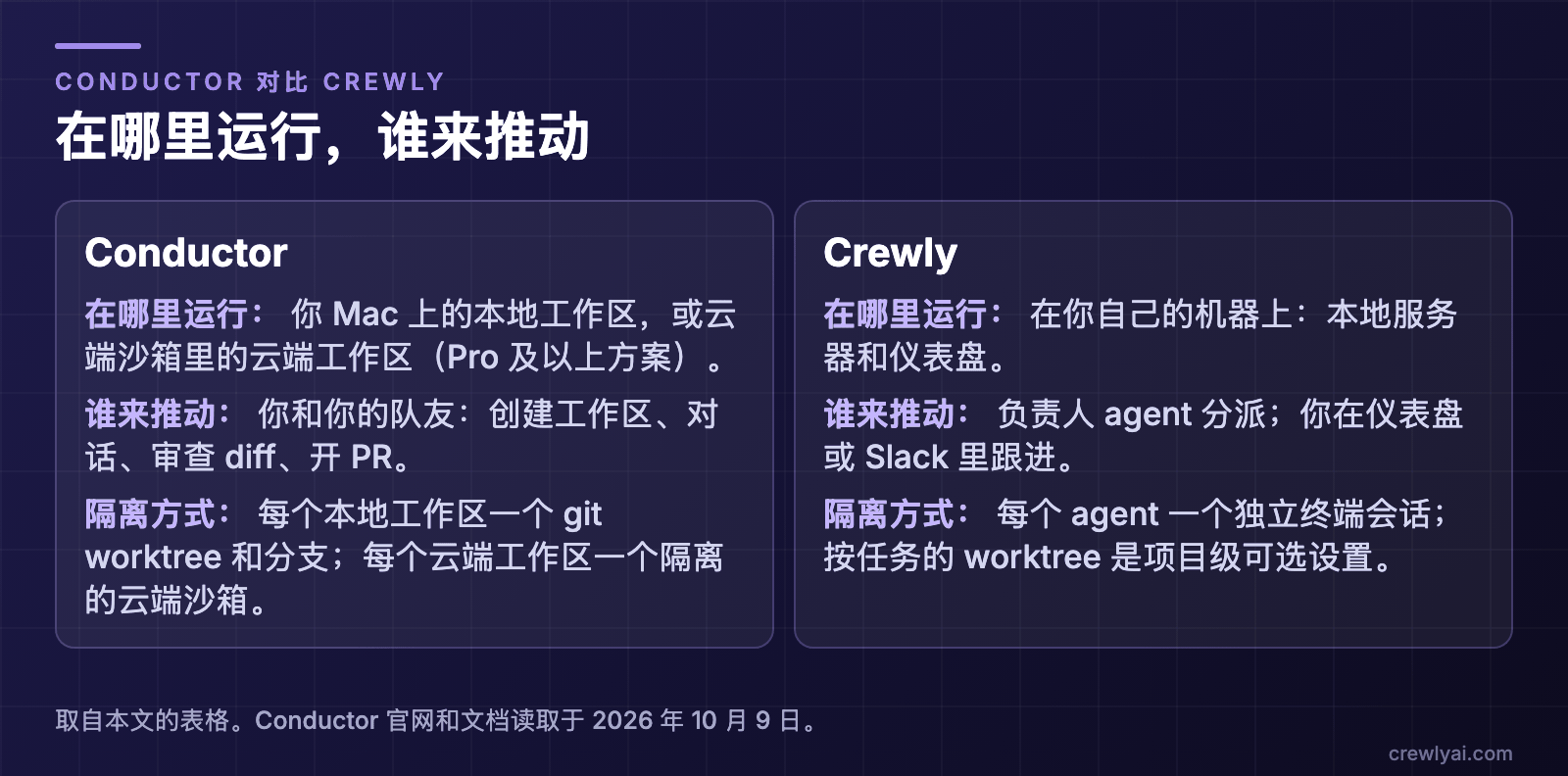 示意图:在哪里运行,谁来推动。Conductor:你 Mac 上的本地工作区,或云端沙箱里的云端工作区(Pro 及以上方案),由你和队友推动,每个本地工作区一个 git worktree 和分支,每个云端工作区一个隔离沙箱。Crewly:在你自己的机器上运行,本地服务器加仪表盘,负责人 agent 分派、你在仪表盘或 Slack 里跟进,每个 agent 一个独立终端会话,按任务的 worktree 是项目级可选设置。
Conductor 是什么?
Conductor 首页现在写的是 "Run a team of coding agents in the cloud."。它的文档介绍页开头还是原来的意思:Conductor "lets you run Claude Code, Codex, Cursor, and OpenCode in parallel",每个任务有自己的工作区。现在有两种工作区,都可以在 Conductor 的 Mac 应用里使用。
你 Mac 上的本地工作区
文档里的工作方式:
- Git worktree。"Conductor creates a Git worktree for that workspace and checks out a branch inside it." 一个工作区对应一个分支,同一个分支同一时间只能在一个工作区里检出。
- 审查与合并。 工作完成后,Conductor "helps you review the diff, open a pull request, merge, and archive the workspace."
- 全新的检出。 新 worktree 从已跟踪的文件开始,所以
.env.local这类被 gitignore 的文件不会自动带过去,除非你设置复制;安装依赖之类的事交给 setup 脚本。 - 不是安全边界。 文档说 "workspace isolation is development isolation, not a security boundary":本地的 agent 仍以你的用户权限在你的 Mac 上运行。
- 随你的 Mac 一起停。 定价页说 "local workspace sessions run on your local machine. When your machine shuts off or you close the app, sessions terminate."
Conductor Cloud
首页说 "Conductor Cloud runs on isolated microVMs with your repos and dependencies pre-installed. Sandboxes spin up in seconds so your agents can run for hours." Cloud 文档补充说它 "runs every agent in its own isolated cloud sandbox",并且 "agents keep working after you close your laptop."
- 云端工作区。 文档把云端工作区定义为 "an isolated sandbox for one repository and branch, created from the Cloud Computer's active build"。Cloud Computer 是 "the organization's shared environment: repositories, environment variables, secrets, and installed software."
- Multiplayer。 首页说 "Conductor is now multiplayer",文档说 "Workspaces, chats, and presence are shared across the organization":队友可以打开同一个工作区、跟进同一段对话,也可以用 "Reassign to" 交接工作区。这说的是人与人共享 agent 的工作。
- 随处发起。 首页说 "Conduct from the desktop app, mobile, or your own integrations to the Conductor API." API 文档说可以用它来 "create workspaces, send prompts to the coding agent, and read its replies",也可以 "build bots that kick off agent work"。API 标注为 beta。
- 方案。 定价页把 "Conductor Cloud and a bunch of cloud workspace hours" 列在 Pro 下,同时列出 Multiplayer、Conductor API 和手机应用;免费方案是 "local workspaces on your Mac","bring your own subscriptions and keys"。本文不重复价格,请以该页为准。
- 数据去向。 定价页 FAQ 说 "chat messages sent in cloud workspaces are stored on Conductor's servers",并说云端工作区托管在 us-east-1 区域的 Vercel 沙箱里。首页还说 "Conductor runs the first-party Claude Code, Codex, Cursor, and OpenCode agents under the hood."
Conductor 做得好的地方
- 是个真正的应用。 工作区、对话和 diff 都在一个窗口里,不用待在终端。
- 自带隔离。 每个任务一个分支,在云端还有自己的沙箱,两个 agent 不会互相覆盖。
- 工作可以比你的笔记本活得更久。 云端工作区在你关掉应用后继续运行。
- 团队可见。 在 Cloud 组织里,大家能看到、关注并加入彼此的工作区。
- 以审查为中心。 工作区分支就是你审查、推送并变成 pull request 的单位。
- 可选 agent。 一个界面背后有四种 agent 程序。
Conductor 的文档没有描述的事
我们读到的页面描述的是人创建、共享和审查工作区,以及可以通过 API 脚本化这一流程。页面没有描述有明确角色的 agent、把工作交给其他 agent 的负责人 agent,或每个 agent 跨会话保留的记忆。我们不能说 Conductor 没有这些,只能说没找到相关描述。这不是缺陷,只是另一类工作。
Crewly 适合的场景
Crewly 面向的是你希望由一支 agent 团队(而不是一组工作区)来推进工作的情况。Conductor 的 multiplayer 说的是多个人和 agent 一起工作;Crewly 的团队说的是 agent 本身有角色。
- 常驻团队。 角色一次定义(编排者、团队负责人、开发、QA,或内容、销售角色),团队和每个 agent 的记忆保存在
~/.crewly/,重启后仍在。 - 会分派的负责人。 负责人 agent 把请求拆成任务、分发出去,并在关闭前检查结果。
- Agent 自己积累记忆。 它们用
remember技能保存学到的东西,用recall读回来,都是你机器上的普通文件。 - 仪表盘和 Slack。 浏览器里有实时终端画面和任务看板,还有可选的 Slack 桥接,离开电脑也能跟进和提醒团队。
- 混用运行时。 每个 agent 可以用不同的 CLI。
有三点要说明。Crewly 比打开一个应用更重:它会运行本地服务器和仪表盘。它运行在你自己的机器上,所以没有托管的云端沙箱能在你关机后继续运行。另外它的 agent 默认共用项目目录,如果你想要 Conductor 那样每个任务一个分支的隔离,需要打开项目的 worktree 设置。
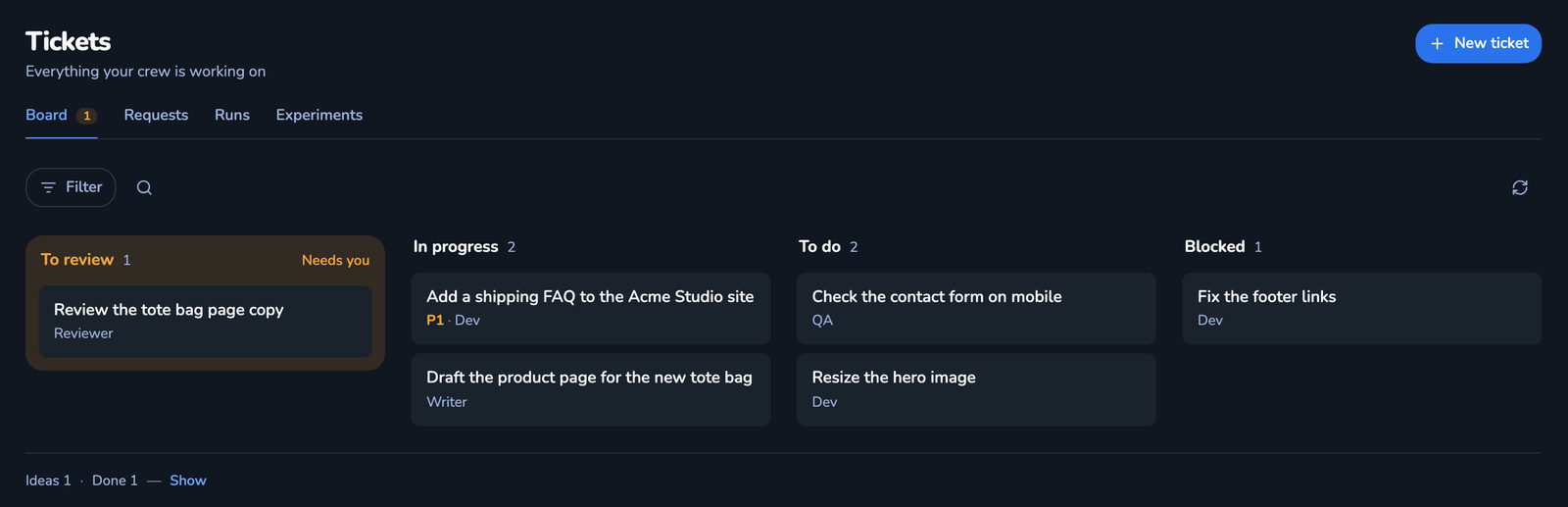 Crewly 仪表盘里工单看板的截图(演示数据):工单分布在 To review、In progress、To do 和 Blocked 几列,各自标明负责人,例如「Add a shipping FAQ to the Acme Studio site」在进行中,「Check the contact form on mobile」待办。
该选哪个?
- 你自己掌控和审查的几个并行任务,想在 Mac 应用里完成: Conductor 的本地工作区。
- 合上笔记本后 agent 仍要在云端运行,或队友要共享并加入彼此的工作区: Conductor Cloud。
- 有命名角色、跨天持续工作并会记忆的 agent 团队: Crewly。
- 两个都用: 可以。需要你审查的隔离分支(本地或云端)用 Conductor,想让 agent 团队推进的工作交给 Crewly。
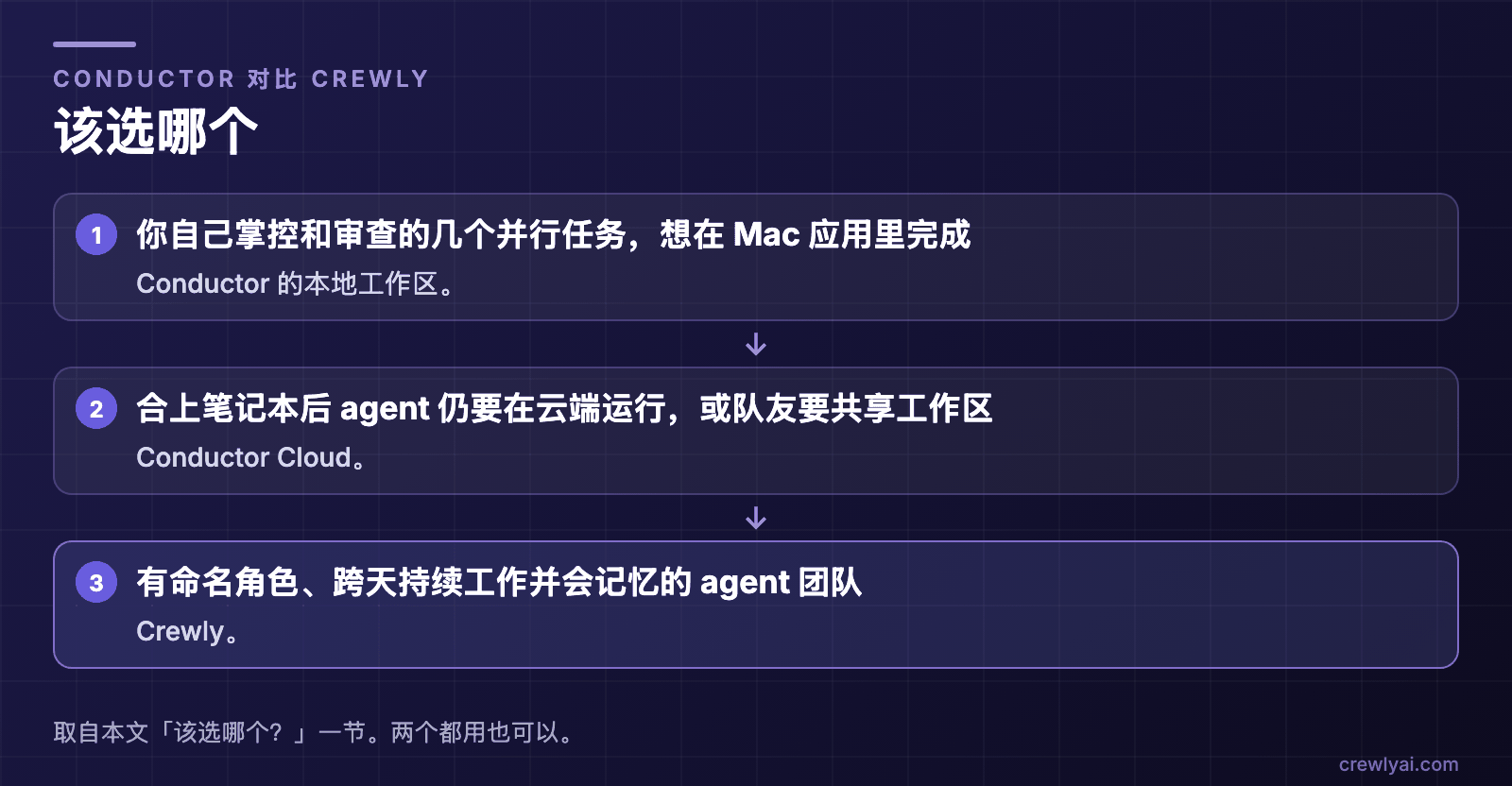 示意图:该选哪个。你自己掌控和审查的并行任务、想在 Mac 应用里完成:Conductor 的本地工作区。合上笔记本后 agent 仍要在云端运行,或队友要共享工作区:Conductor Cloud。有命名角色、跨天持续工作并会记忆的 agent 团队:Crewly。两个都用也可以。
试用 Crewly:请先安装 Node.js 22 或更新版本(nodejs.org 的安装包,或 Homebrew / 系统包管理器),再运行:
curl -fsSL https://crewlyai.com/install.sh | bash
然后打开一个新的终端,运行:
crewly start
想用 npm?如果你的 Node 来自 Homebrew 或 nodejs.org 安装包,npm install -g crewly 也可以。
crewly start 会在 http://localhost:8787 打开仪表盘。入门指南介绍如何建第一支团队;如何在 Claude Code 里同时运行多个 agent对比了 worktree、子 agent、agent 团队和编排工具。如果你在比较纯终端方案,见 Claude Squad 和 Crewly 对比。
来源
所有关于 Conductor 的事实均来自其自有页面,2026 年 10 月 9 日读取:conductor.build、文档、工作区与分支、git worktrees、What is Conductor Cloud?、Multiplayer、Conductor API、定价。Crewly:仓库、crewlyai.com。