
You don't need a long tutorial to start using Crewly. Here's the path from install to a running AI agent team.
The Short Version
Install Node.js 22 or newer first (the nodejs.org installer or Homebrew), then run:
curl -fsSL https://crewlyai.com/install.sh | bash
Open a new terminal and run:
crewly start
Prefer npm? npm install -g crewly works if your Node comes from Homebrew or the nodejs.org installer.
Crewly launches the backend and opens the web dashboard in your browser at http://localhost:8787. From the dashboard, create a team, then click Start Team.
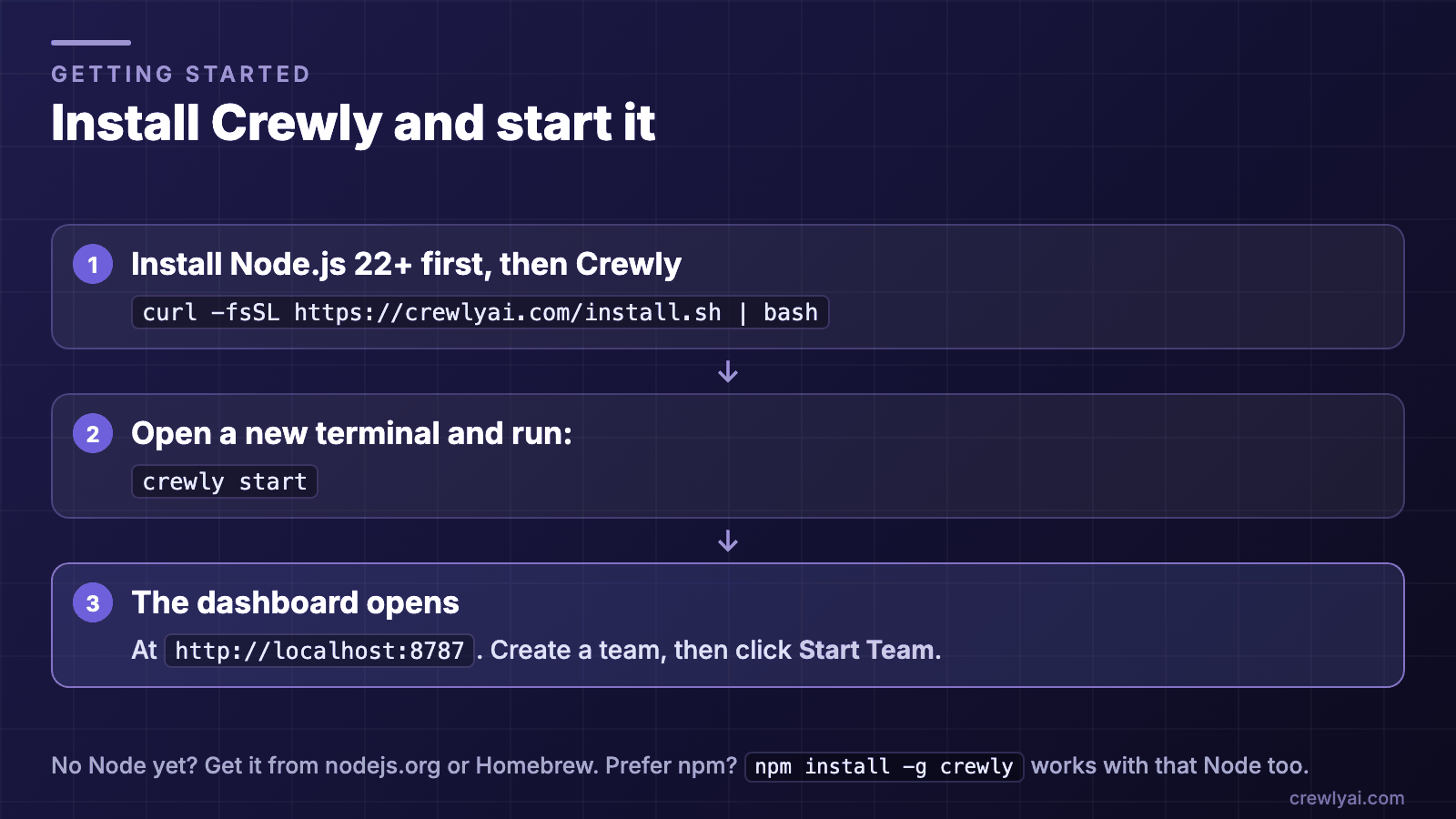 Diagram of the install flow: step 1, install Node.js 22 or newer first, then install Crewly with curl -fsSL https://crewlyai.com/install.sh | bash, open a new terminal and run crewly start, and the dashboard opens at http://localhost:8787. Prefer npm? npm install -g crewly works if your Node comes from Homebrew or the nodejs.org installer.
Install Crewly and start it (diagram).
Step by Step
1. Install Crewly
Install Node.js 22 or newer first (the nodejs.org installer or Homebrew), then run:
curl -fsSL https://crewlyai.com/install.sh | bash
Prefer npm? npm install -g crewly works if your Node comes from Homebrew or the nodejs.org installer.
Requires macOS or Linux; Node.js 22 or later (check with node --version); jq and curl; and one AI CLI (Claude Code or Codex) installed and logged in. No C/C++ compiler is needed on macOS or glibc Linux (x64/arm64), where Crewly installs prebuilt binaries; on Alpine/musl, glibc older than 2.28 or other architectures, or if your network blocks the prebuilt download, install python3, make and g++ (crewly doctor tells you).
2. Install an AI coding CLI
You need at least one AI coding agent installed. Pick one (or both):
# Claude Code (Anthropic)
npm install -g @anthropic-ai/claude-code

# OpenAI Codex
npm install -g @openai/codex
3. Set up and start Crewly
Open a new terminal and run:
crewly start
The web dashboard opens automatically. You'll see an empty state — no teams yet.
4. Create your first team
From the dashboard:
- Create a Project — Point it to your codebase directory
- Create a Team — Add 2-3 agents with roles like
backend-developer,frontend-developer,qa-engineer - Start the Team — Click Start Team and watch each agent go from
inactivetostartingtostarted(its CLI is running) toactive(it has checked in and is ready for work)
That's your AI development team, running and ready for tasks.
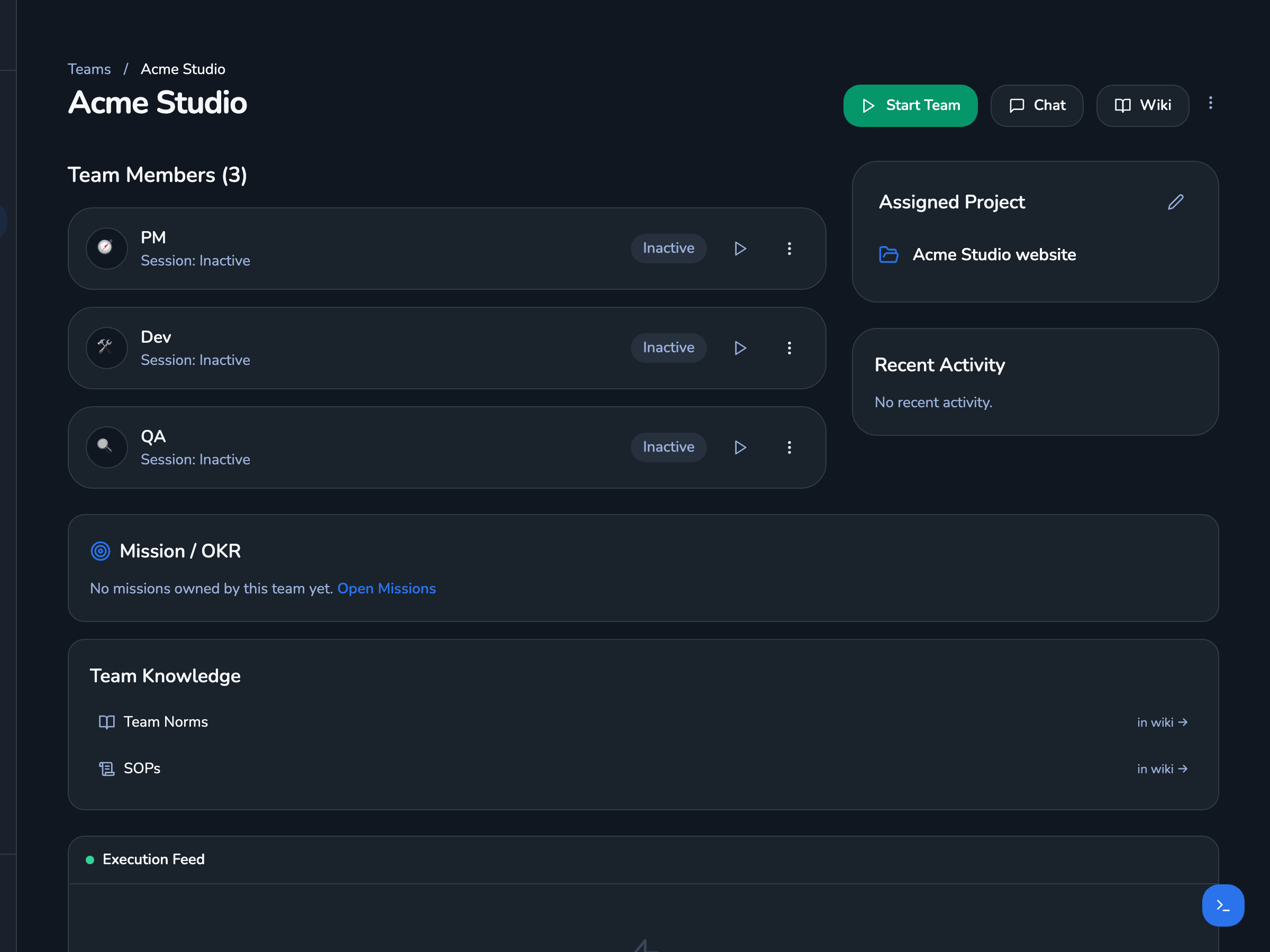 Screenshot of a team page in the Crewly dashboard: the team "Acme Studio" with three agents (PM, Dev, QA), its assigned project, and links to the team's norms and SOPs.
A team in the Crewly dashboard. Real UI with demo data: the team and project are fictional.
What You'll See
Once your team starts, the dashboard shows:
- Agent status cards — Who's active, who's idle, who's working
- Live terminal streams — Click any agent to see their terminal output in real time
- Task tracking — Delegate work and monitor progress
- Chat interface — Talk to the orchestrator in natural language
Delegate Your First Task
Open the Chat page and type a request:
Build a REST API with user authentication. The backend dev should
handle the Express routes and the QA engineer should write tests.
The orchestrator breaks the task down and delegates to each agent automatically. Watch them work in the terminal panels.
Quick Reference
# Start (opens the dashboard)
crewly start

# Start without opening the browser
crewly start --no-browser
FAQ
What do I need before installing Crewly?
macOS or Linux, Node.js 22 or later, jq and curl, and one AI CLI (Claude Code or Codex) installed and logged in. No C/C++ compiler is needed on macOS or glibc Linux (x64/arm64); crewly doctor tells you if your machine needs one.
How do I install and start Crewly?
Run curl -fsSL https://crewlyai.com/install.sh | bash, then open a new terminal and run crewly start. The web dashboard opens at http://localhost:8787, where you create a project and a team.
Which AI coding CLIs does Crewly work with?
Claude Code and Codex. Install at least one of them and log in before you start a team.
Is Crewly open source?
Yes. Crewly is open source under the MIT license, and the code is on GitHub.
What's Next
Now that you're up and running:
- Full tutorial — Detailed walkthrough of creating a 3-agent team
- Use case ideas — 5 scenarios where multi-agent teams deliver results
- Browse the Marketplace — Install community-built skills and role configurations
- Crewly vs CrewAI — See how Crewly compares to other multi-agent tools
Crewly is an open-source AI agent orchestration platform that launches multiple coding CLI agents (Claude Code or Codex) as a coordinated team with a real-time web dashboard. Install with
curl -fsSL https://crewlyai.com/install.sh | bash, then open a new terminal and runcrewly start.
Crewly is open source under the MIT license. Star the project on GitHub and start building.