
To run several Claude Code agents at once, you have four options:
- Git worktrees: you run the sessions yourself, each in its own checkout.
- Subagents: helpers that one session starts for side tasks.
- Agent teams: Claude Code's experimental feature, in which a lead session coordinates teammates.
- An orchestrator such as Crewly: it keeps a standing team running for you.
They solve different problems. This guide shows when each fits, based on Anthropic's documentation (checked 2026-09-24), then walks through setting up the fourth.
Which way should I use? The short answer
| Git worktrees | Subagents | Agent teams | An orchestrator (Crewly) | |
|---|---|---|---|---|
| What it is | Separate sessions, each in its own git checkout | Helpers inside one session, each with its own context | A lead session plus teammate sessions | A standing team of agents, each in its own terminal |
| Who coordinates | You | The main agent | The lead, a shared task list, and the teammates | An orchestrator agent, and you from a dashboard or Slack |
| Agents talk to each other | Not by default | They report results back to the agent that started them | Yes, directly | Yes, through Crewly |
| Lasts beyond one session | You resume each one yourself | No | One team per session | Yes |
| Setup | Built in | Built in | Built in, experimental, off by default | Install Crewly |
| Best for | A few parallel tasks you steer yourself | Focused side tasks | Research, review and features that need discussion | Fixed roles you keep running, and mixed runtimes |
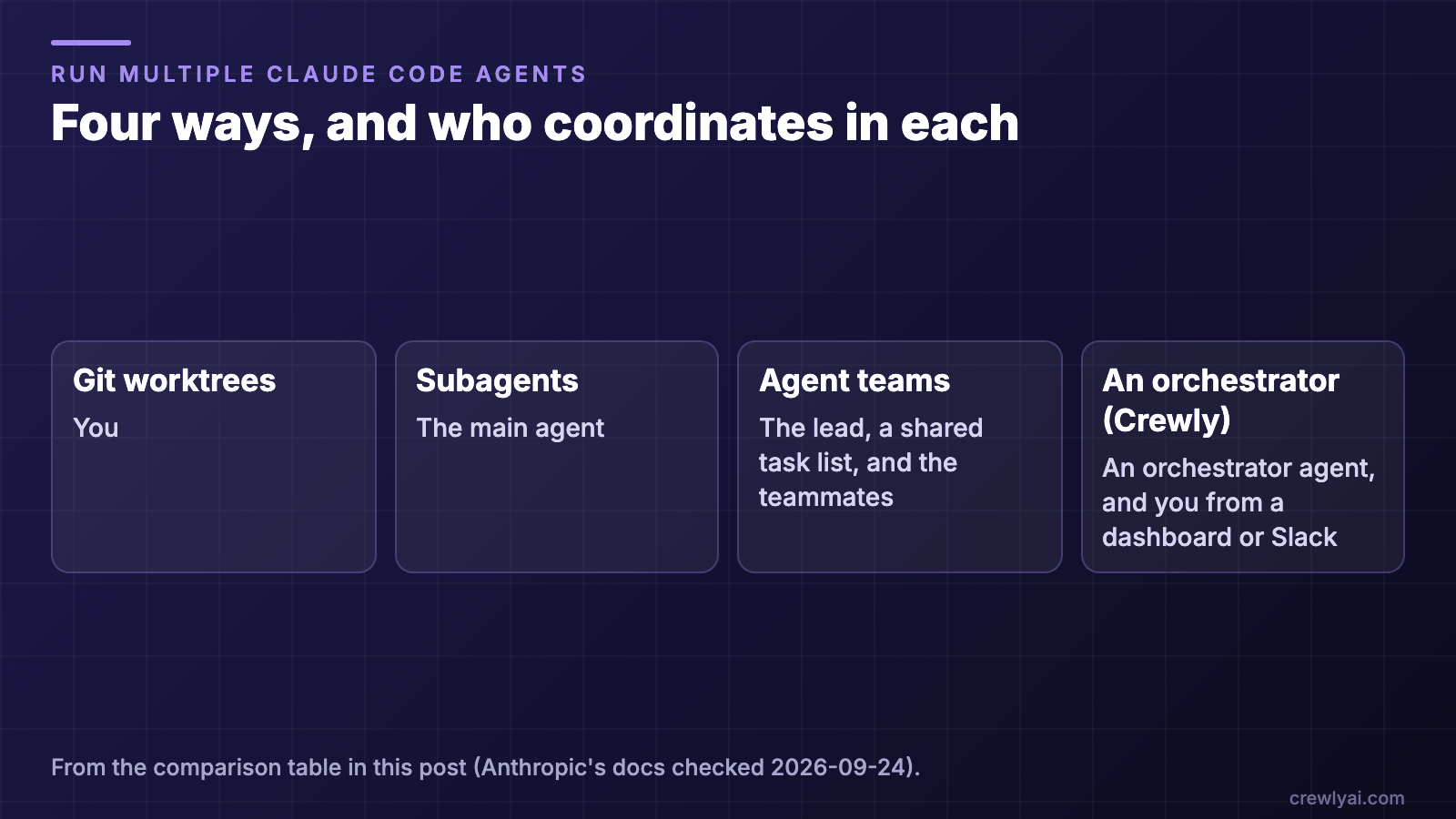 Diagram of who coordinates in each of the four ways: with git worktrees, you; with subagents, the main agent; with agent teams, the lead, a shared task list and the teammates; with an orchestrator such as Crewly, an orchestrator agent, and you from a dashboard or Slack.
Four ways, and who coordinates in each, from the table above (diagram).
1. Git worktrees: you run the sessions
A git worktree is a separate checkout of your repository on its own branch, so parallel edits don't collide. Claude Code has this built in:
claude --worktree feature-auth
Run the same command with another name in a second terminal to get a second, isolated session. The repository needs at least one commit first.
Use it for: two or three independent tasks where you're happy to be the coordinator. Anthropic describes this as running "multiple Claude Code sessions yourself without automated team coordination". You split the work, watch each terminal and merge the branches.
2. Subagents: helpers inside one session
A subagent is a specialized assistant that Claude Code starts for a side task. It works in its own context window, with its own system prompt, tools and permissions, and returns a summary, so your main conversation stays clean.
- Define one: add a Markdown file with YAML frontmatter (
name,description, and optionallytoolsandmodel) in.claude/agents/for a project or~/.claude/agents/for all projects. Or just ask Claude to "use a subagent to investigate…". - Background and nesting: subagents can run in the background, and a subagent can start its own, up to three layers deep.
Use it for: "go find out X and tell me", such as exploring a codebase, running a check or reviewing a file.
3. Claude Code agent teams (experimental)
In an agent team:
- One session is the team lead. It assigns tasks and synthesizes results.
- Teammates are separate Claude Code instances, each in its own context window. They message each other directly, and you can talk to any of them.
Agent teams are experimental and disabled by default. Turn them on with CLAUDE_CODE_EXPERIMENTAL_AGENT_TEAMS=1 in your environment or settings.json, then describe the team in plain language. For example: "Spawn three teammates to review PR #142: one on security, one on performance, one on test coverage."
What they do well:
- Nothing extra to install.
- A shared task list: tasks can depend on each other, and claiming a task is file-locked.
- Quality-gate hooks (
TeammateIdle,TaskCreated,TaskCompleted). - Teammates show in your terminal. Split panes need tmux or iTerm2.
The documented limits:
- One team per session, and the team's config is removed when the session ends.
/resumedoesn't restore in-process teammates.- No nested teams.
- Significantly more tokens than a single session.
Anthropic suggests starting with 3–5 teammates, each owning different files.
Use it for: research, review, debugging with competing hypotheses, or a feature that splits cleanly into parts, within one working session.
Agent teams vs subagents: what's the difference?
- Subagents report back to the agent that started them. That's cheaper: only a summary returns.
- Agent teams are separate sessions that message each other and share a task list. That costs more, and suits work that needs discussion.
In Anthropic's words, use subagents "when you need quick, focused workers that report back". Use agent teams "when teammates need to share findings, challenge each other, and coordinate on their own."
4. An orchestrator such as Crewly
Crewly is an open-source app (MIT) that runs a standing team of coding agents on your machine:
- Each agent is a real Claude Code session in its own terminal (or Codex or OpenCode), with a role such as backend developer or QA engineer.
- An orchestrator agent hands out the work.
- You watch and steer from a local dashboard, and from Slack if you connect it.
What it adds:
- The team outlives the terminal session. Teams, roles and each agent's memory are saved under
~/.crewly/, so they survive a restart of Crewly or the machine. - Saved roles. Built-in roles come with a prompt, and you add your own under Settings → Roles.
- Mixed runtimes. You pick the runtime per agent.
- One dashboard with every agent's live terminal, status and tasks.
- A Slack bot per agent (set up through Crewly Cloud), so you can @ one agent directly.
The trade-offs:
- There's an app to install and keep running.
- Agents run with full permissions so they can work unattended, so use an environment you're comfortable with.
Claude Code agent teams vs Crewly
| Claude Code agent teams | Crewly | |
|---|---|---|
| Status | Experimental, off by default | Separate open-source app |
| Where the team lives | Inside one session; one team per session | In Crewly, across sessions and restarts |
| Roles | Described when spawning, or reused from subagent definitions | Saved roles with their own prompts |
| Runtimes | Claude Code teammates | Claude Code, Codex or OpenCode, per agent |
| Where you watch | Your terminal, or tmux/iTerm2 split panes | A web dashboard, and Slack |
| Coordination | Shared task list with dependencies and hooks | Orchestrator agent, tasks and status reports |
If the work fits in one session and you only use Claude Code, agent teams are lighter: there's nothing to install. Crewly is for a team you keep running, with saved roles, possibly across runtimes.
When not to use Crewly
- One or two parallel tasks: use
claude --worktreein two terminals. - A side question: use a subagent.
- A one-off review inside Claude Code: try agent teams first.
- You don't want agents running unattended with full permissions on that machine.
- Windows: Crewly runs on macOS and Linux.
Tutorial: run a team of Claude Code agents with Crewly
This sets up a backend developer, a frontend developer and a QA engineer on one of your projects. For a shorter install-only guide, see Getting started with Crewly.
You need:
- macOS 12+ or Linux (x64 / ARM)
- Node.js 22 or later
- jq and curl
- A normal user account, not root
- Claude Code, installed and logged in (Anthropic's setup guide). Run
claudeonce and finish its first-run setup, or your agents will stop at its theme and login screens. - A C/C++ compiler, only in some cases: not needed on macOS or glibc Linux (x64/arm64), where Crewly installs prebuilt binaries. On Alpine/musl, glibc older than 2.28 or other architectures, or if your network blocks the prebuilt download, install python3, make and g++.
crewly doctortells you.
Step 1: Install and start Crewly
curl -fsSL https://crewlyai.com/install.sh | bash
Open a new terminal and run:
crewly start
Prefer npm? npm install -g crewly works if your Node comes from Homebrew or the nodejs.org installer.
- The installer runs the setup wizard.
crewly startopens the dashboard athttp://localhost:8787(add--no-browserto skip that).crewly doctorchecks your setup if something looks wrong.
Step 2: Add your project
- Open Projects and click New Project.
- Enter the full absolute path to your project, or use Browse.
- Click Create Project.
Crewly creates a .crewly/ folder there for tasks, specs and project knowledge.
Step 3: Create the team
- Open Teams, click New Team, name it, and pick your project under Assigned Project.
- Add three members, each with an Agent Name, a Role and a Runtime Type:
| Agent Name | Role | Runtime Type |
|---|---|---|
| Backend Dev | backend-developer | Claude CLI |
| Frontend Dev | frontend-developer | Claude CLI |
| QA | qa-engineer | Claude CLI |
- Click Create Team.
"Claude CLI" is Claude Code. Each role comes with its own prompt.
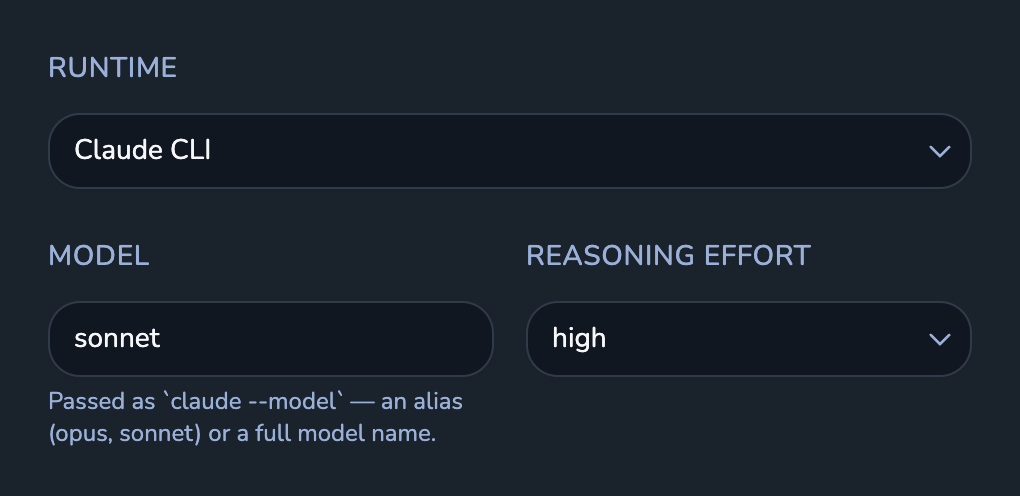 Screenshot of an agent's settings in the Crewly dashboard: Runtime set to Claude CLI, model sonnet, reasoning effort high.
An agent on Claude CLI. Real UI with demo data.
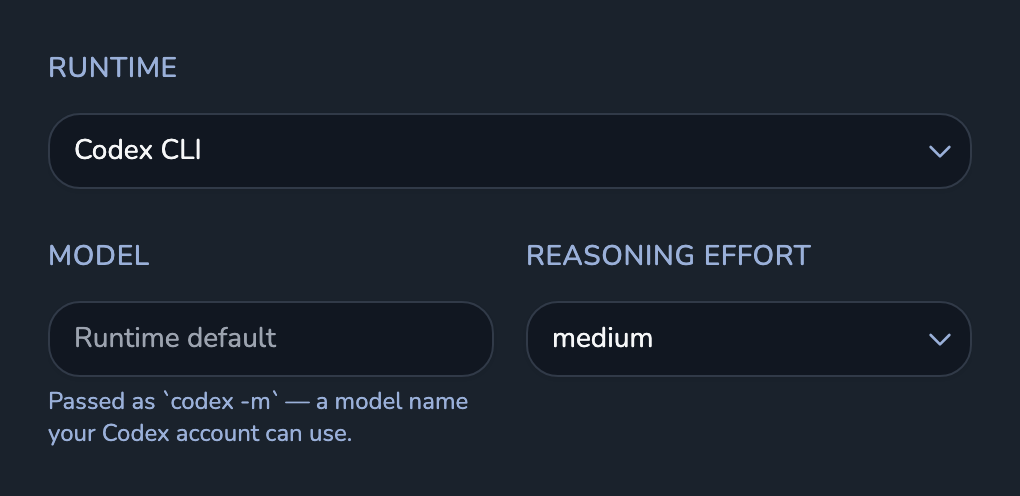 Screenshot of an agent's settings in the Crewly dashboard: Runtime set to Codex CLI, the model field left at the runtime default, and its own reasoning effort.
A reviewer on Codex CLI in the same team. Real UI with demo data.
Step 4: Start the team
Open the team and click Start Team. Each agent's status moves through inactive, starting, started and active. active means the agent is running and has registered.
Each agent is its own terminal session running claude --dangerously-skip-permissions with its role prompt. That is what lets it work without you approving every step.
Step 5: Give the team work
Open Chat and describe the job to the orchestrator:
Build a REST API with user authentication. The backend dev should handle
the Express routes, the frontend dev should build a login page, and QA
should write integration tests.
The orchestrator splits the work and delegates it. The agents report their status, message each other, and save what they learn, so a restarted agent doesn't start from zero.
Step 6: Watch and steer
The dashboard and the team page show each agent's live terminal, whether it's working, and the tasks in progress. Message an agent, or the orchestrator, to change course.
Tips:
- Start with two or three agents, and give each one its own files.
- To mix runtimes, give a reviewer a Runtime Type of Claude CLI or Codex CLI.
FAQ
How do I run multiple Claude Code agents in parallel?
The simplest way is claude --worktree <name> in two terminals: each session gets its own git checkout, so edits don't collide. Use subagents for side tasks, Claude Code's experimental agent teams for a lead that coordinates teammates, and an orchestrator such as Crewly for a standing team with saved roles.
What is the difference between Claude Code agent teams and subagents?
Subagents are helpers inside one session that report a summary back to the agent that started them. Agent teams are separate Claude Code sessions, a lead plus teammates, that message each other directly and share a task list. Teams use more tokens and suit work that needs discussion.
Are Claude Code agent teams available by default?
No. Anthropic's docs (checked 2026-09-24) describe agent teams as experimental and disabled by default. Enable them with CLAUDE_CODE_EXPERIMENTAL_AGENT_TEAMS=1 in your environment or settings.json.
Do I need tmux to run multiple Claude Code agents?
No. Worktree sessions need only separate terminals, and agent teams run in your main terminal by default; only their split-pane mode needs tmux or iTerm2. Crewly runs each agent in its own terminal session without tmux.
Can a Claude Code agent team include Codex agents?
Claude Code's agent teams are made of Claude Code instances. In Crewly you pick the runtime per agent, so one team can mix Claude Code, Codex and OpenCode agents.
Does Crewly replace Claude Code?
No. Crewly runs the official Claude Code CLI with your own login. It starts the sessions, gives each agent a role and coordinates the team; Claude Code, or another CLI you choose, does the coding.
Related
- Getting started with Crewly: install Crewly and get one team running
- Five use cases for AI agent teams: features, migrations, research, bug triage and docs, each split across a team
- Crewly vs CrewAI: a team of coding CLIs versus a Python agent framework
Crewly is open source under the MIT license. The code is on GitHub.