
Orca is one of the fastest-growing open-source projects for running AI coding agents. This post explains what it does, based on its source code, docs and GitHub data as of 28 September 2026, where it is strong, and how it compares with a standing agent team such as Crewly.
The short version
| Dimension | Orca | Crewly |
|---|---|---|
| What it is | A desktop app that runs many terminal coding agents at once | An open-source orchestrator for a standing AI team |
| Core idea | One git worktree per agent, plus a coordinator that dispatches work | Named roles you define once; each agent keeps its own memory |
| Setup | Install the desktop app | Install with curl -fsSL https://crewlyai.com/install.sh | bash, then crewly start |
| Runs as | Desktop app; also on a VPS, with a phone view | CLI + web dashboard on your machine |
| Memory | Session search: a record of what was said, opt-in | Each agent's role and memory saved under ~/.crewly/, survives a restart |
| Scope | Coding agents on one repo | Coding, content, research and sales roles |
| Price | Free; sales-led enterprise page, no published price | Free and open source (Community Edition) |
| Best at | Parallel coding on one repo without collisions | A team that keeps working and remembering across days |
What is Orca?
Orca is a desktop app for running many terminal coding agents side by side; its README names Codex, Claude Code, OpenCode and Pi. In September it added supervised support for Antigravity (#21705) and Muse Code (#22383). Its site says it is "completely free and open source under the MIT license".
It is growing fast. On 28 September 2026 the GitHub API showed about 79,800 stars, up from about 78,600 two days earlier and about 49,700 on 20 August, with 386+ contributors and roughly 70 commits a day over the last 90 days. The newest version then was v1.4.215, released on 27 September.
What Orca does well
- Worktree isolation as the core primitive. Every agent works in its own git worktree, so parallel edits don't collide. The details are careful: a
.worktreeincludefile lists gitignored files such as.envto copy into each new worktree; heavy directories likenode_modulesare symlinked instead of copied; and a dirty worktree is not removed without force. Its enterprise page turns this into a selling point: every agent change "lands in a worktree and a pull request". - Compare attempts side by side. You can fan one prompt out to several agents, each in its own worktree, compare the results and merge the best one.
- Durable multi-agent runs. A large September change (#16904, about 38,000 added lines, 225 test files) made coordinator-to-worker messages idempotent, so a retried send is never delivered twice, and it recovers the coordinator's mail after a crash.
- Knowing when an agent is stuck on you. An agent waiting at a command-approval prompt used to look exactly like one that was busy. PR #15261 combines three signals (agent hook state, the terminal title and the prompt text on screen) into one "waiting for permission" verdict, tested against captures of real agent screens. Anyone who has left an agent "working" for an hour while it waited for a yes will appreciate this.
- Nested workers with a hard ceiling. Workers can start their own sub-workers, up to a depth of 1, 2 or 3 that you set in Settings. The setting is deliberately kept out of reach of the CLI, so a worker cannot raise its own limit (#16669).
- Your agents on your phone. The desktop serves a mobile view with tasks, files, terminal and review screens, and since early September the repo also contains a hosted relay and push service.
- Search across past sessions. An opt-in index of agent transcripts, searchable from the history panel, across paired computers, or with
orca search "<query>". The consent screen is upfront that full conversations are indexed and nothing is redacted.
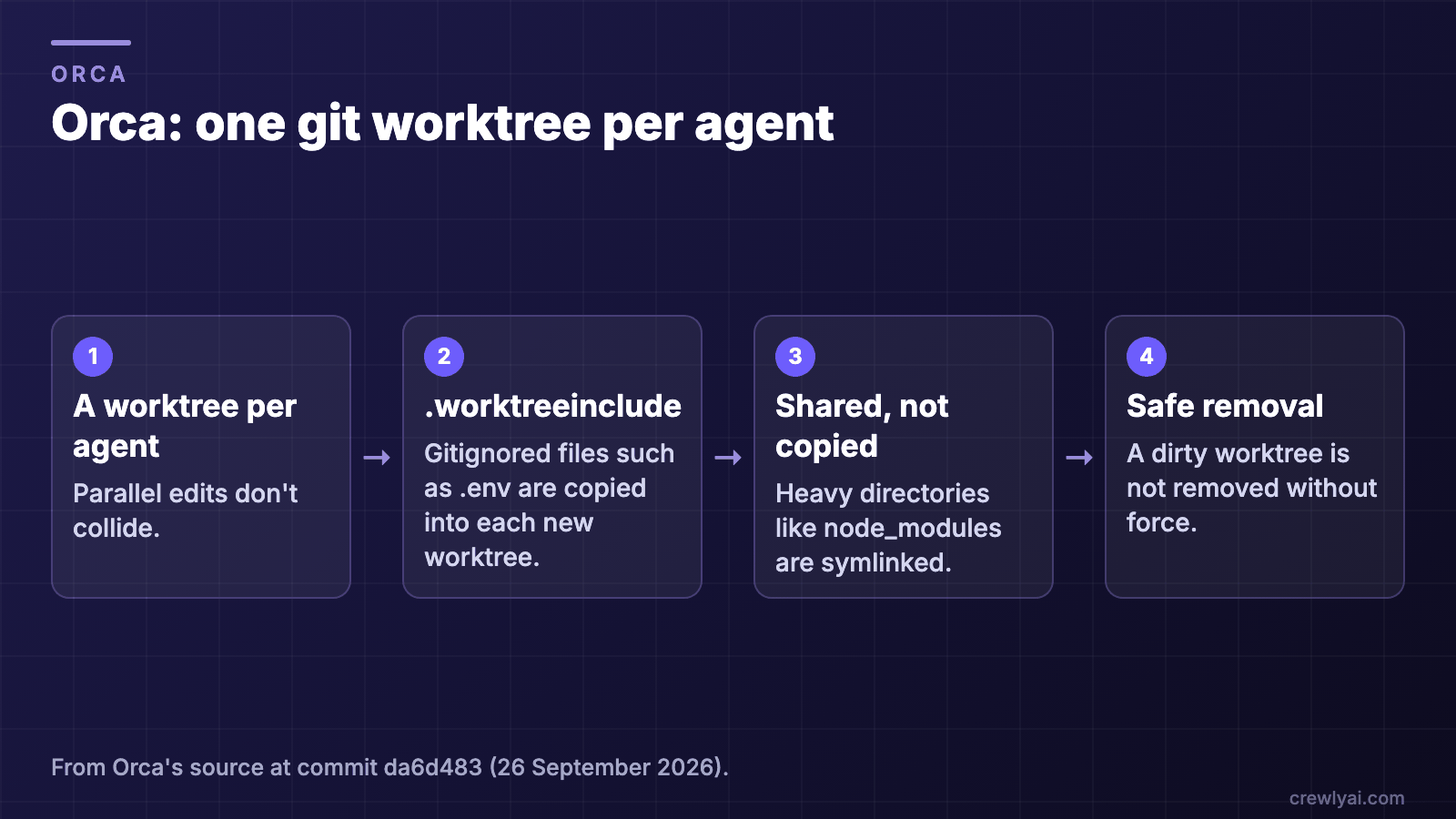 Diagram of Orca's worktree isolation: one git worktree per agent, gitignored files listed in .worktreeinclude copied in, node_modules symlinked instead of copied, and a dirty worktree not removed without force.
Orca's worktree per agent, as described above (diagram).
What Orca is not trying to be
Orca's durable record is the work: runs, dispatches, messages and worktrees. It is not a persistent worker. Its public orchestration schema (version 42, 19 tables at commit da6d483) has no tables for agent identities, roles or per-agent knowledge. Its session search is a record of what was said, for a person or an agent to query, rather than knowledge an agent keeps. That is a coherent design for engineers who start a batch of agents on a task and close them when it's merged.
What persists: the work, or the teammate
Orca persists the work. Crewly persists the teammate. Neither is wrong; they answer different questions.
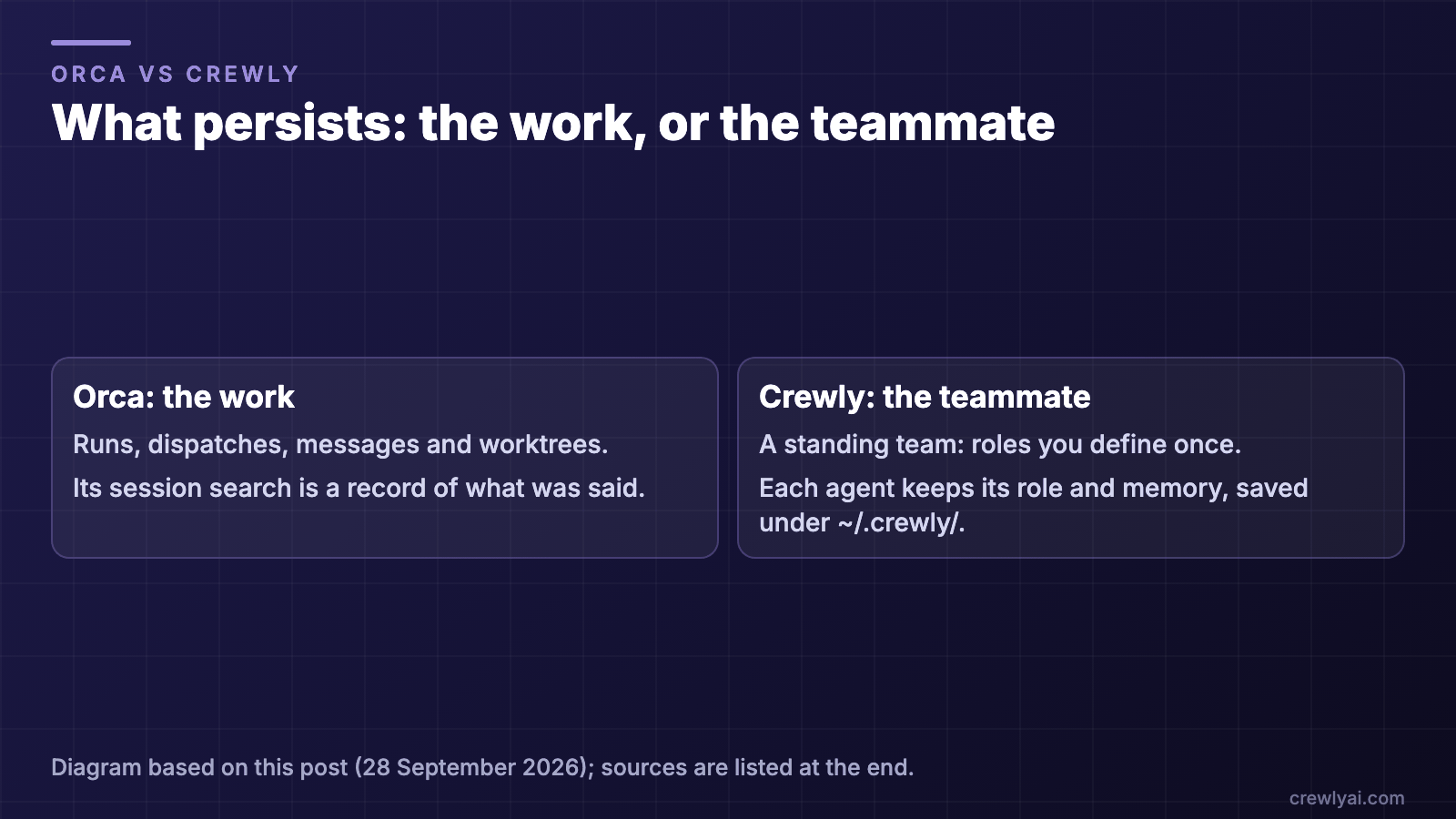 Diagram comparing what persists: Orca keeps the work (runs, dispatches, messages, worktrees); Crewly keeps the teammate, a saved role with its own memory under ~/.crewly/.
What each one keeps: the work, or the teammate (diagram).
Where Crewly fits
Crewly is an open-source orchestrator built around a standing team. You define roles once (an orchestrator, a team lead, a developer, a content strategist) and each agent keeps its role and memory:
- Teams, roles and each agent's memory are saved under
~/.crewly/, so they survive a restart of Crewly or the machine. - Agents build their own memory. They store what they learn with a
rememberskill and read it back withrecall, at agent and project level. It is kept as plain files on your machine; there is no separate memory server to run. - Mixed runtimes in one team. Each agent can run Claude Code, Codex, OpenCode or another supported CLI.
- Not only engineering. The same team model runs content, research and sales roles, which you can reach from a web dashboard or Slack.
Which one should you pick?
- You want many coding agents on one repo, today, for free: start with Orca.
- You want a team with named roles that keeps working and remembering across days, beyond code: try Crewly.
curl -fsSL https://crewlyai.com/install.sh | bash
Open a new terminal and run:
crewly start
Prefer npm? npm install -g crewly works if your Node comes from Homebrew or the nodejs.org installer.
crewly start opens the dashboard at http://localhost:8787. The getting started guide covers requirements and your first team.
Sources
All figures observed on 28 September 2026 unless noted.
- Orca repository and GitHub API: github.com/stablyai/orca (commit
da6d483); pull requests #16904, #15261, #16669, #21705, #22383; releases; onorca.dev and onorca.dev/enterprise